


Peplink BR1 Mini 5G RedCap Router for IoT and POS
Pair with a 5G plan
Add a Crosstalk Mobile plan and the router drops 10%. Applied automatically at checkout.
-
More info

The Crosstalk Mobile Unlimited Plan is a data-only 5G SIM card on T-Mobile's network for $149 a month. It has no data cap, no overage charges, and no contract.
The plan is made for routers and hotspots and won't work in a phone. The SIM is free, and you manage the line from your online account, where you activate it, update billing or cancel.
Network and coverage
The plan is built for 5G and falls back to 4G LTE where 5G isn't available. Service covers the lower 48 states, Hawaii and Puerto Rico. Alaska, other US territories, Canada and Mexico aren't covered yet.
The SIM hands off between towers while you drive, the same way a phone does. We've run it in command vehicles and fleets.
Routers that work with it
Any 5G router that takes a standard SIM card will work, including every Peplink we sell. If you're still choosing, these are the ones we stock and support:
- GL.iNet Spitz AX: a compact 5G router with Wi-Fi 6 that can also use Starlink or campground Wi-Fi as a backup. It suits RVs and small remote sites.
- Peplink B One 5G: a desktop router for a home or office that runs 5G alongside a wired connection.
- Peplink MAX BR1 Pro 5G: bonds cellular, Starlink and Wi-Fi with SpeedFusion, so a video call keeps going when one connection drops.
- Peplink MAX BR2 Pro 5G: two 5G modems, so you can add a second carrier for redundancy.
- Pepwave 5G Adapter: adds 5G to a router you already own.
Not sure which fits? Take the router quiz or give us a call.
How activation works
- Check out. Your first month is charged at checkout.
- Within a few minutes you'll get an email with a link to set up your account. You need the account to activate the SIM.
- We ship the SIM. Orders placed before 11 a.m. Pacific ship the same day. Standard shipping takes 5 to 7 business days and express takes 2 to 3.
- Put the SIM in your router and activate the line from your account. Most routers connect without an APN entered, and we recommend leaving it blank unless your line has a static IP.
Billing starts when you insert the SIM or 30 days after it ships, whichever comes first.
Static IP add-on
For $5 a month you can add a static IP, which is a dedicated public address on your line. Choose it if you need to reach something behind the router from outside, such as security cameras, an NVR, a server or the router's admin page. Browsing, streaming and video calls work fine without one. A static IP line uses its own APN, and our static IP setup guide walks through it for Peplink and UniFi.
Common questions
Is it really unlimited?
Yes. There's no data cap, no overage charge and no speed limit built into the plan.
Can I use it in a phone?
No. It's a data-only plan for routers and hotspots.
Do I need to enter an APN?
Usually not. Most routers pick up the right settings on their own, so leave the APN blank. The only exception is a line with a static IP, which needs the static IP APN.
Is there a contract?
No. You can cancel the monthly or annual plan at any time. Cancelling stops the next renewal, but it doesn't refund time you've already paid for.
Is there a cheaper way to pay?
The annual plan is $1,428 a year. That works out to $119 a month and saves $360. Businesses with 10 or more lines get volume pricing on our fleet connectivity page.
Who answers when I call?
One of our network engineers. Call 888-381-7750, Monday to Friday, 6:30 a.m. to 3 p.m. Pacific, or email CustomerService@CrosstalkMobile.com.
The full terms are in our terms of service.
+$149.00 -
More info
The Crosstalk Mobile Unlimited Plan, Annual is the same data-only 5G SIM card on T-Mobile's network as our monthly plan, paid a year at a time. You pay $1,428 up front, which works out to $119 a month and saves $360 over twelve monthly payments. There's no data cap and no overage charges.
The plan is made for routers and hotspots and won't work in a phone. The SIM is free, and you manage the line from your online account, where you activate it, update billing or cancel.
Who the annual plan suits
The annual plan is the better deal when the line runs all year, like a fixed site, a business failover link or a full-time RV. If you only need service a few months at a time, the monthly plan at $149 a month is easier to start and stop.
Network and coverage
The plan is built for 5G and falls back to 4G LTE where 5G isn't available. Service covers the lower 48 states, Hawaii and Puerto Rico. Alaska, other US territories, Canada and Mexico aren't covered yet.
The SIM hands off between towers while you drive, the same way a phone does. We've run it in command vehicles and fleets.
Routers that work with it
Any 5G router that takes a standard SIM card will work, including every Peplink we sell. If you're still choosing, these are the ones we stock and support:
- GL.iNet Spitz AX: a compact 5G router with Wi-Fi 6 that can also use Starlink or campground Wi-Fi as a backup. It suits RVs and small remote sites.
- Peplink B One 5G: a desktop router for a home or office that runs 5G alongside a wired connection.
- Peplink MAX BR1 Pro 5G: bonds cellular, Starlink and Wi-Fi with SpeedFusion, so a video call keeps going when one connection drops.
- Peplink MAX BR2 Pro 5G: two 5G modems, so you can add a second carrier for redundancy.
- Pepwave 5G Adapter: adds 5G to a router you already own.
Not sure which fits? Take the router quiz or give us a call.
How activation works
- Check out. The full year is charged at checkout.
- Within a few minutes you'll get an email with a link to set up your account. You need the account to activate the SIM.
- We ship the SIM. Orders placed before 11 a.m. Pacific ship the same day. Standard shipping takes 5 to 7 business days and express takes 2 to 3.
- Put the SIM in your router and activate the line from your account. Most routers connect without an APN entered, and we recommend leaving it blank unless your line has a static IP.
Static IP add-on
For $60 a year you can add a static IP, which is a dedicated public address on your line. Choose it if you need to reach something behind the router from outside, such as security cameras, an NVR, a server or the router's admin page. Browsing, streaming and video calls work fine without one. A static IP line uses its own APN, and our static IP setup guide walks through it for Peplink and UniFi.
Common questions
Is it really unlimited?
Yes. There's no data cap, no overage charge and no speed limit built into the plan.
Can I use it in a phone?
No. It's a data-only plan for routers and hotspots.
Do I need to enter an APN?
Usually not. Most routers pick up the right settings on their own, so leave the APN blank. The only exception is a line with a static IP, which needs the static IP APN.
Can I cancel?
Yes, at any time. Cancelling stops the next renewal, and the line stays on through the end of the year you've paid for. The prepaid year isn't refunded once the SIM is active.
Is there a month-to-month option?
Yes. The monthly plan is the same service for $149 a month with no commitment. Businesses with 10 or more lines get volume pricing on our fleet connectivity page.
Who answers when I call?
One of our network engineers. Call 888-381-7750, Monday to Friday, 6:30 a.m. to 3 p.m. Pacific, or email CustomerService@CrosstalkMobile.com.
The full terms are in our terms of service.
+$1,428.00

Optional accessories
Compatible mounts, cables, and antennas.
-
More info
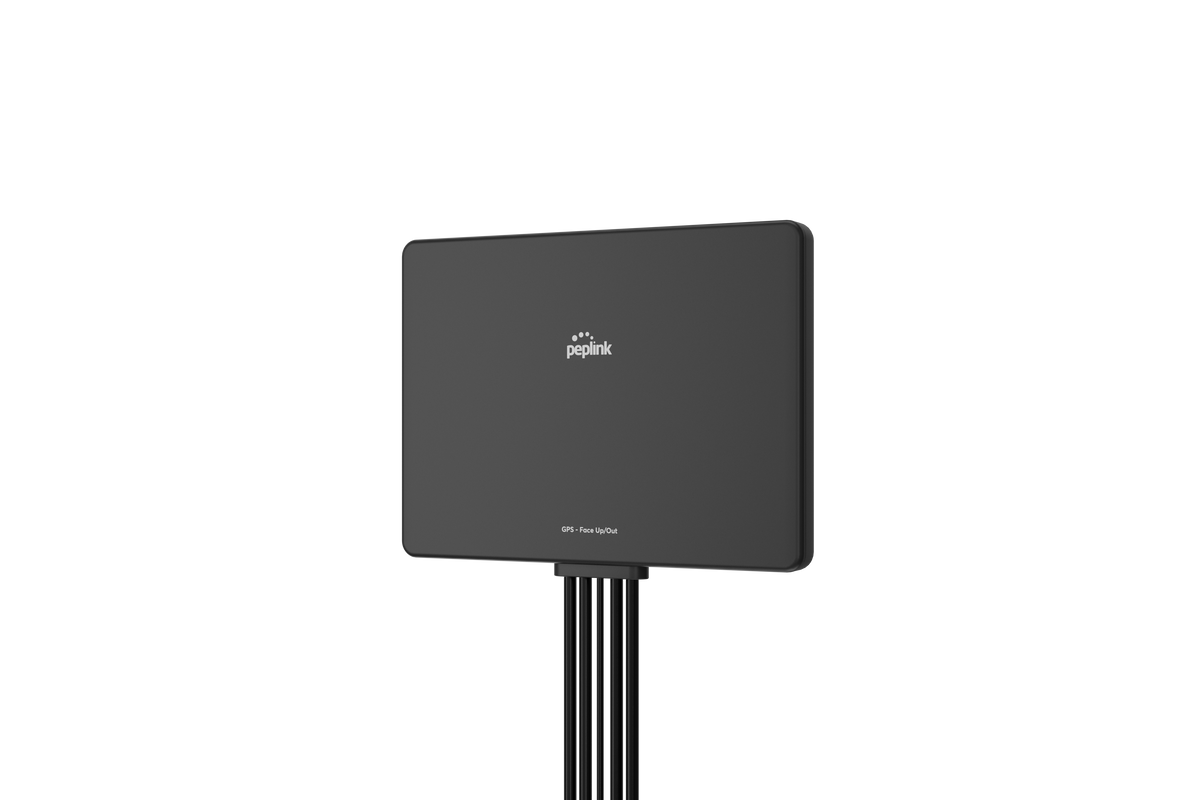

The Peplink Slim 22G is a flat, low-profile antenna with two cellular elements, two Wi-Fi elements, and GPS in one housing. It mounts on a window or wall with hook-and-loop strips, or tucks under a vehicle dashboard.
Check your router first
The Slim 22G is for routers with two cellular ports. Most current 5G routers, including every Peplink and the Spitz AX we sell, have four cellular ports and get full performance from a 4x4 antenna like the Slim 40G or Mobility 40G. If you're not sure how many ports yours has, call us before you order.
Where it fits
- Older or compact routers with two cellular ports and Wi-Fi ports
- Window mounts at a home or small office
- Vehicles where you want the antenna hidden behind the dash
Installing it
Mount it with the top edge pointing up toward the sky, on the window that faces the nearest tower. Keep it off metal window film and away from large metal objects. The cables are 6.5 ft (2 m) long, with SMA connectors for cellular and GPS and RP-SMA connectors for Wi-Fi, so they plug straight into most routers.
Specs
- Elements: 2x cellular (2x2 MIMO), 2x Wi-Fi, 1x GPS
- Cellular: 617 to 960 MHz (4.1 dBi), 1710 to 2700 MHz (4.3 dBi), 3400 to 4200 MHz (6.0 dBi), 5000 to 6000 MHz (7.5 dBi)
- Wi-Fi: 2.4 to 2.5 GHz (5.5 dBi), 5 to 6 GHz (5.7 dBi)
- GPS: 1561 to 1602 MHz, with a 28 dB LNA
- Cables: 6.5 ft (2 m); CFD-200 for cellular and Wi-Fi, RG-174 for GPS
- Connectors: SMA male (cellular, GPS), RP-SMA male (Wi-Fi)
- Size: 7.09 x 5.12 x 0.59 in
- Housing: UV-stable black polycarbonate, IP55
- Operating temperature: -40 to 176°F
- In the box: antenna and four hook-and-loop strips
See all cellular antennas.
+$149.00 -
More info
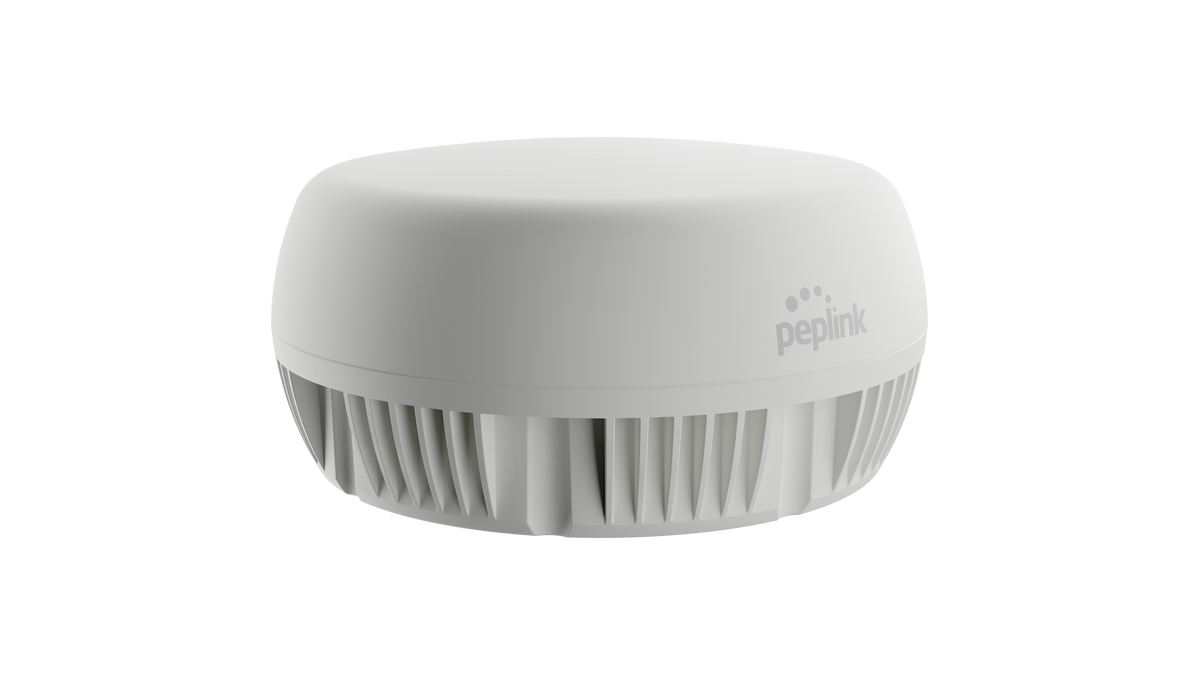

The Peplink ANT-MAX puts your router outside, in a weatherproof housing with its own antennas. One Ethernet cable runs back indoors for data and power. With the router right next to the antennas the coax stays short, and short coax loses less signal at 5G frequencies than a long run through a wall.
What's inside
- 4x4 MIMO cellular antennas covering 617 to 6000 MHz
- Two Wi-Fi antennas (2.4 and 5 GHz) and a GPS antenna
- Right-angle SMA connectors for cellular and GPS, RP-SMA for Wi-Fi, so the router plugs in without adapters
Routers it fits
- MAX BR1 Mini series
- MAX BR1 Pro 5G
- MAX Transit Duo Pro
- Pepwave 5G Adapter, to add 5G to a router you already own
Powering it
Run one Ethernet cable from the enclosure to a PoE Injector or PoE switch indoors. The current BR1 Pro 5G and BR1 Mini take PoE directly. Routers without PoE input also need a Splitter Max.
Mounting
It mounts to a wall, pole, or flat panel with the included L-mount set and 3M adhesive pad. A deck mount isn't included. Three cable glands seal the cable entry, and two hole plugs cover the openings you don't use.
Common questions
Why put the router outside?
Every foot of coax between a router and its antennas loses signal, and the loss is worst at 5G frequencies. With the router inside the enclosure, the antenna leads are only a few connectors long, and the only cable that runs inside is Ethernet.
Will it work on a vehicle?
Yes. It's rated IP67 and from -40 to 176°F. Mount it on a roof rack or pole with the L-mount set.
Can I put a dual-modem router in it?
No. For a MAX BR2 Pro or two routers, use the ANT-MAX-DUO.
Specs
- Housing: IP67, rated -40 to 176°F
- Size: 9.84 in diameter, 4.72 in tall
- Cellular gain: 3.0 dBi (617 to 960 MHz), 6.2 dBi (1410 to 2700 MHz), 5.7 dBi (3400 to 4200 MHz), 6.6 dBi (5000 to 6000 MHz)
- Wi-Fi: 2.4 to 2.5 and 5.0 to 6.0 GHz; GPS: 1575 to 1602 MHz
- In the box: enclosure, L-mount set, 3M adhesive pad, three cable glands, two hole plugs
Adding Starlink Mini? See the ANT-MAX-S. Call 888-381-7750 and we'll put the parts list together for your router. See all antenna enclosures.
+$349.00 -
More info

Hardwire your Peplink or Pepwave router straight into a vehicle or equipment DC power system with the Peplink ACW-634 10ft DC Power Cable. One end has the 4-pin Molex Micro-Fit connector used on Peplink mobile routers; the other end is bare, direct-wire leads ready for your fuse block, battery or power distribution panel. It is the Peplink-recommended way to permanently install a router in a vehicle and to use ignition sensing.
Ignition Sense: Router Power That Follows the Key
The 4-pin connector carries more than just power. Along with the positive and ground leads, it has a dedicated ignition input (IGN) lead and an I/O (GPIO) lead. Wire the IGN lead to an ignition-switched (accessory) circuit and the router knows when the engine is on or off.
- Key on: the router powers up and connects automatically. No buttons to press.
- Key off: the router stays online for a delay you choose, then shuts down cleanly so it never drains the battery.
- Short stops covered: fueling, deliveries and quick stops don't drop the connection, because the router waits out the delay before powering down.
Ignition sensing is turned on in the router's web admin under Advanced > Misc. Settings > GPIO. If you don't need it, simply leave the IGN lead insulated and unconnected.
12V to 52V DC Wiring
The ACW-634 is built for hardwired DC installs across 12V to 52V DC systems, covering cars, vans and pickups (12V), trucks, buses and heavy equipment (24V), and 48V marine, solar, telecom and battery-bank systems.
Important: the safe input voltage depends on your router model. For example, the BR1 Pro 5G accepts 10V–30V DC, while the Transit Duo Pro accepts 12V–56V DC. Please check your router's DC input rating before connecting, or reach out to Crosstalk Mobile if you're unsure.
- Positive (+): connect to a constant (always-on) fused positive source.
- Ground (–): connect to chassis ground or the negative bus bar.
- Ignition (IGN): connect to a fused, ignition-switched circuit. Leave unconnected if not used.
- I/O (GPIO): optional; leave insulated unless you use the router's GPIO features.
Install tips: add an inline fuse close to the power source, match each lead to the pin labels in your router's hardware guide, and secure the cable away from heat and moving parts. For fleet or commercial installs, Crosstalk Mobile can help plan the wiring.
Compatible Peplink Routers
BR1 Classic (HW3), BR1 Mini, BR1 Mini Core, BR1 Mini 5G, BR1 Mini 5G (Wi-Fi), BR1 Mini M2M, BR1 Pro (CAT-20), BR1 Pro 5G, BR2 Pro, BR2 Micro, BR2, Transit Mini, Transit Core, Transit Duo Pro, Transit Pro E, B One, B One Plus, B One 5G and MAX Adapter.
Frequently Asked Questions
Do I have to connect the ignition (IGN) wire?
No. If you don't need ignition sensing, leave the IGN lead insulated and unconnected and the router will run whenever power is applied.Can I use this on a 24V truck or 48V system?
The cable can be used across 12V–52V DC systems, but your router must also support that voltage. Check your router's DC input rating, or contact us and we'll confirm before you wire it.Do I need a fuse?
Yes. The cable has no built-in fuse, so install an inline fuse close to the power source, sized to your router's power requirements.Which routers does it fit?
Any Peplink router with the 4-pin Molex Micro-Fit power port, including the BR1 Mini, BR1 Pro 5G, BR2 Pro, Transit and B One series listed above.Specifications
- Part number: ACW-634
- Router end: 4-pin Molex Micro-Fit connector
- Source end: direct-wire bare leads
- Length: 10 ft / 3 m
- DC systems: 12V–52V DC (safe voltage depends on router model)
- Supports: ignition sensing and GPIO on compatible routers
- Brand: Peplink (genuine accessory)
-
More info
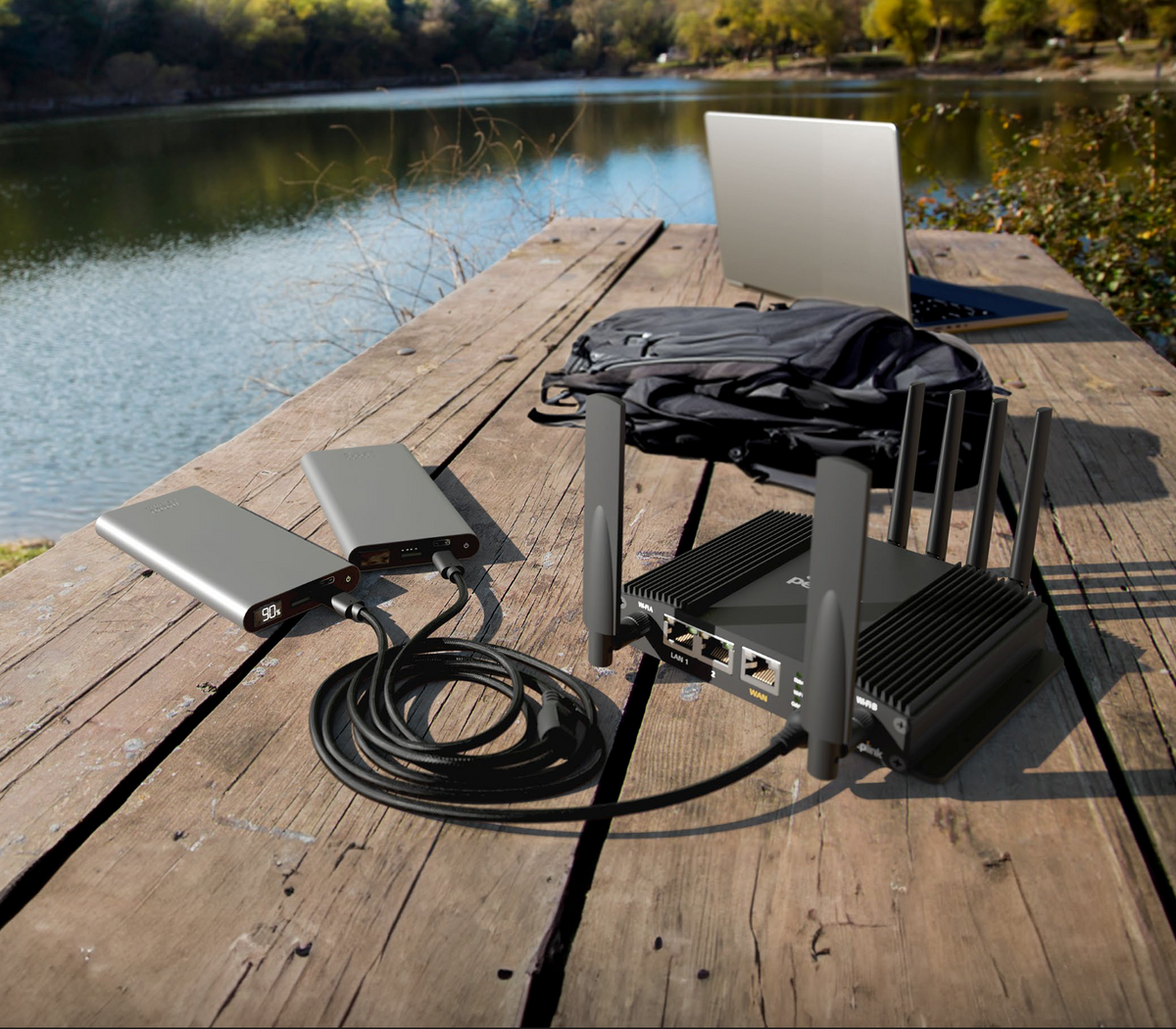

Power your Peplink router from USB-C instead of a dedicated DC supply. The ACW-791 connects any Peplink router with a 4-pin (Molex) power input to USB-C sources you already carry, like power banks and AC adapters.
The cable splits into two USB-C plugs. Connect two power banks and they share the load equally while jointly supplying 15V to the router. If one bank runs flat or fails, the other keeps the router running without a drop in connection. That makes it a good fit for vehicle installs, pop-up sites and field work where mains power isn't guaranteed.
The outer jacket is nylon braided, so it holds up to being coiled, packed and pulled around on the job.
Specifications
- Part number: ACW-791
- Router end: 4-pin (Molex)
- Source end: dual USB-C
- Overall length: approx. 1500 mm
- Split lengths: approx. 400 mm and 1070 mm
- Protection: 3A current protection on each USB-C port
- Jacket: braided nylon
Compatibility
Works with any Peplink router fitted with a 4-pin (Molex) power input.Recommended power source
+$19.00
Use a source that can deliver 15V. Peplink routers will run on 12V, but 15V gives more reliable performance. -
More info

This injector adds power to an Ethernet cable so one cable can connect and power a PoE device. It's IEEE 802.3af/at compliant, so it works with standard PoE equipment. The 802.3af standard supplies up to 15.4 W per port and 802.3at supplies up to 30 W.
Plug the injector into an outlet and connect your router or switch to its data-in port. Then run a cable from the PoE-out port to the device. Ethernet runs can be up to 100 meters (328 feet), which is usually enough to reach a rooftop or the far side of a building.
With our equipment, people use it to:
- power an antenna enclosure on a roof or mast from indoors
- run a router without PoE input, together with the Splitter Max
- power a PoE access point or camera that the router's ports can't
If you're not sure whether a device needs 802.3af or 802.3at power, check its datasheet or call us at 888-381-7750.
+$79.00


Optional
Peplink licenses
Virtual WAN, SpeedFusion, and other Peplink subscription features. Tap to see what fits this router.
Optional
Peplink licenses
-
More info

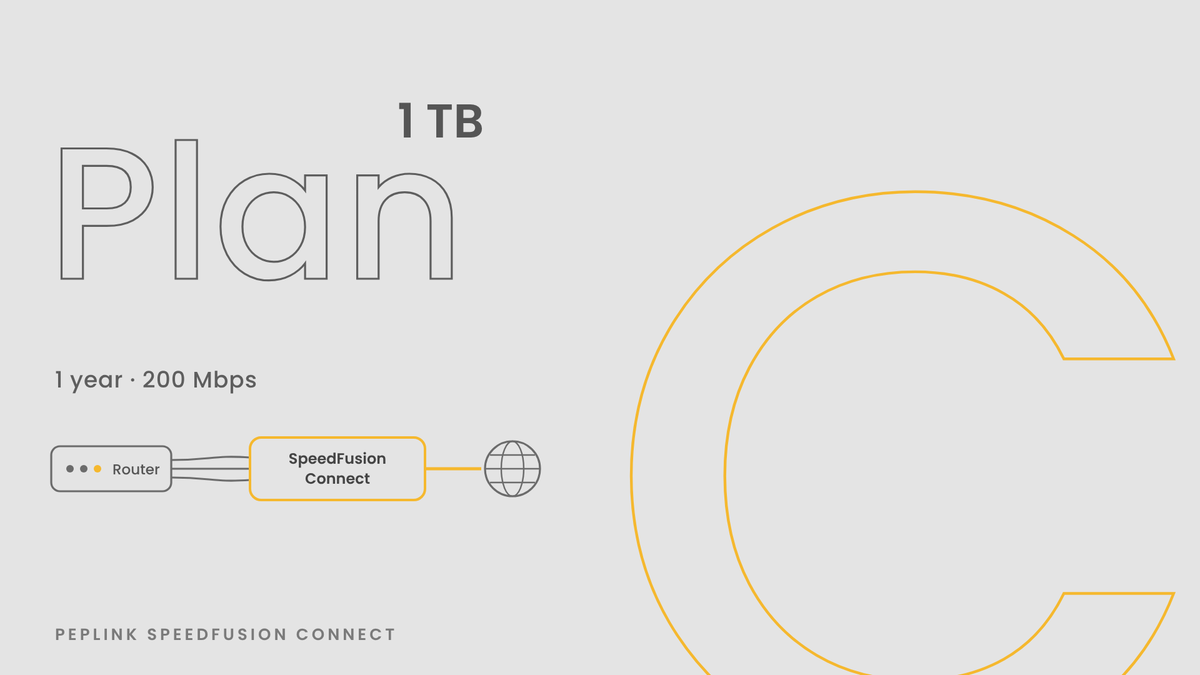
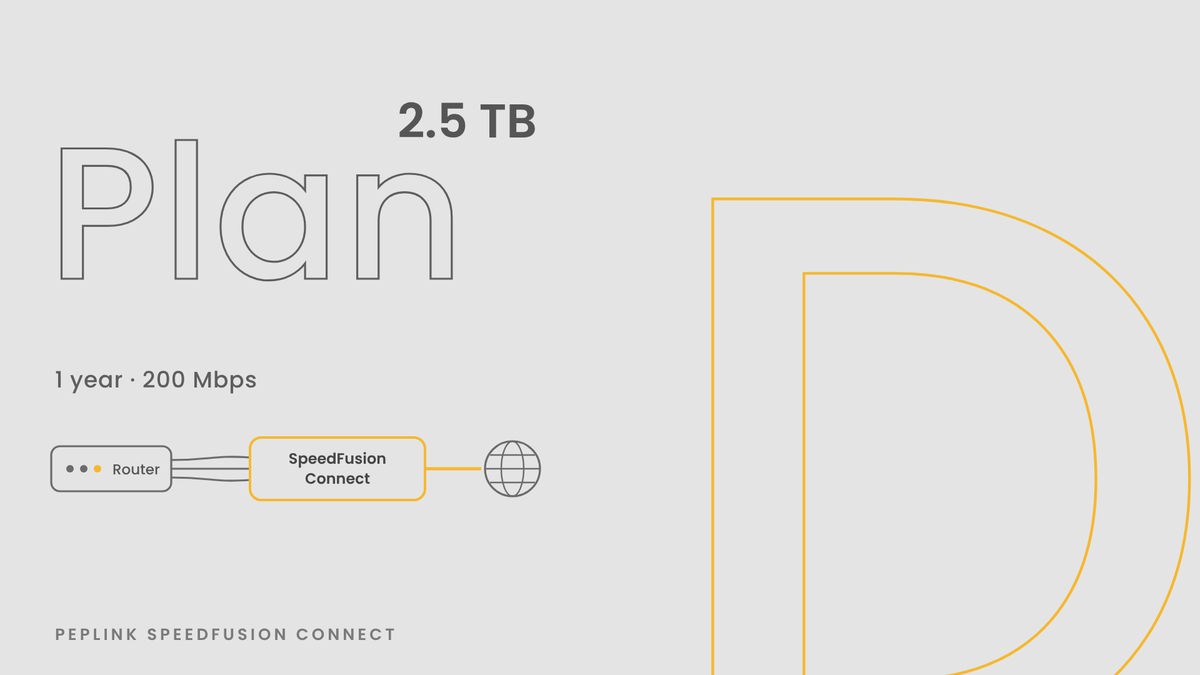

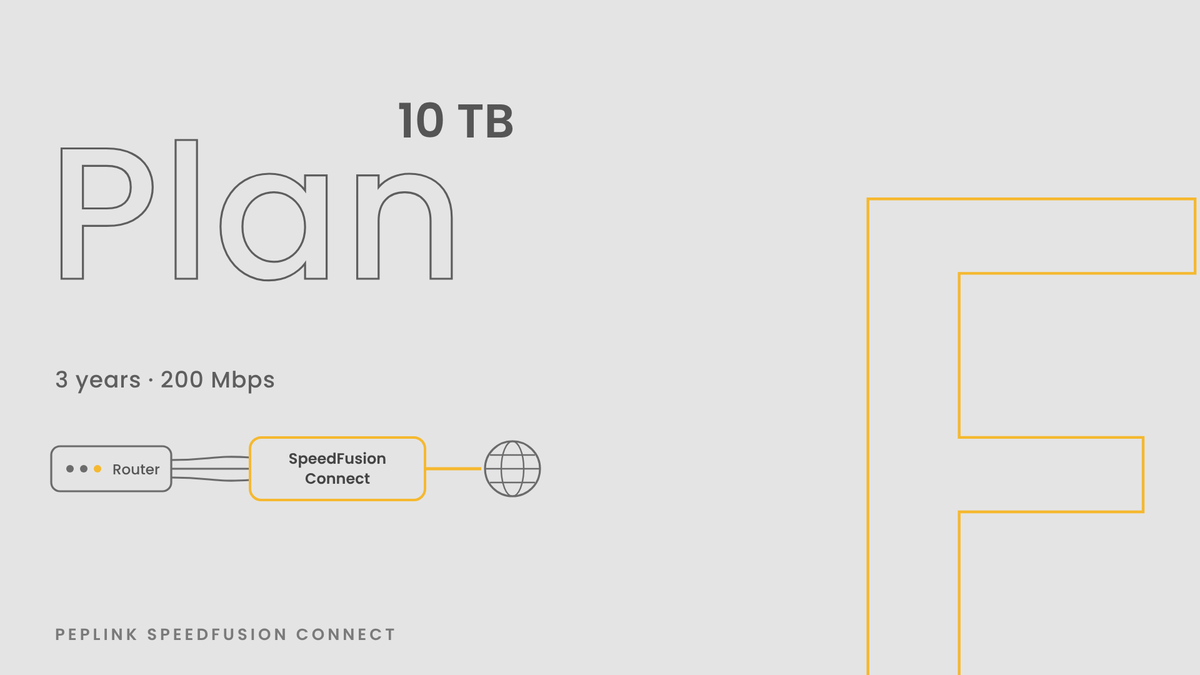
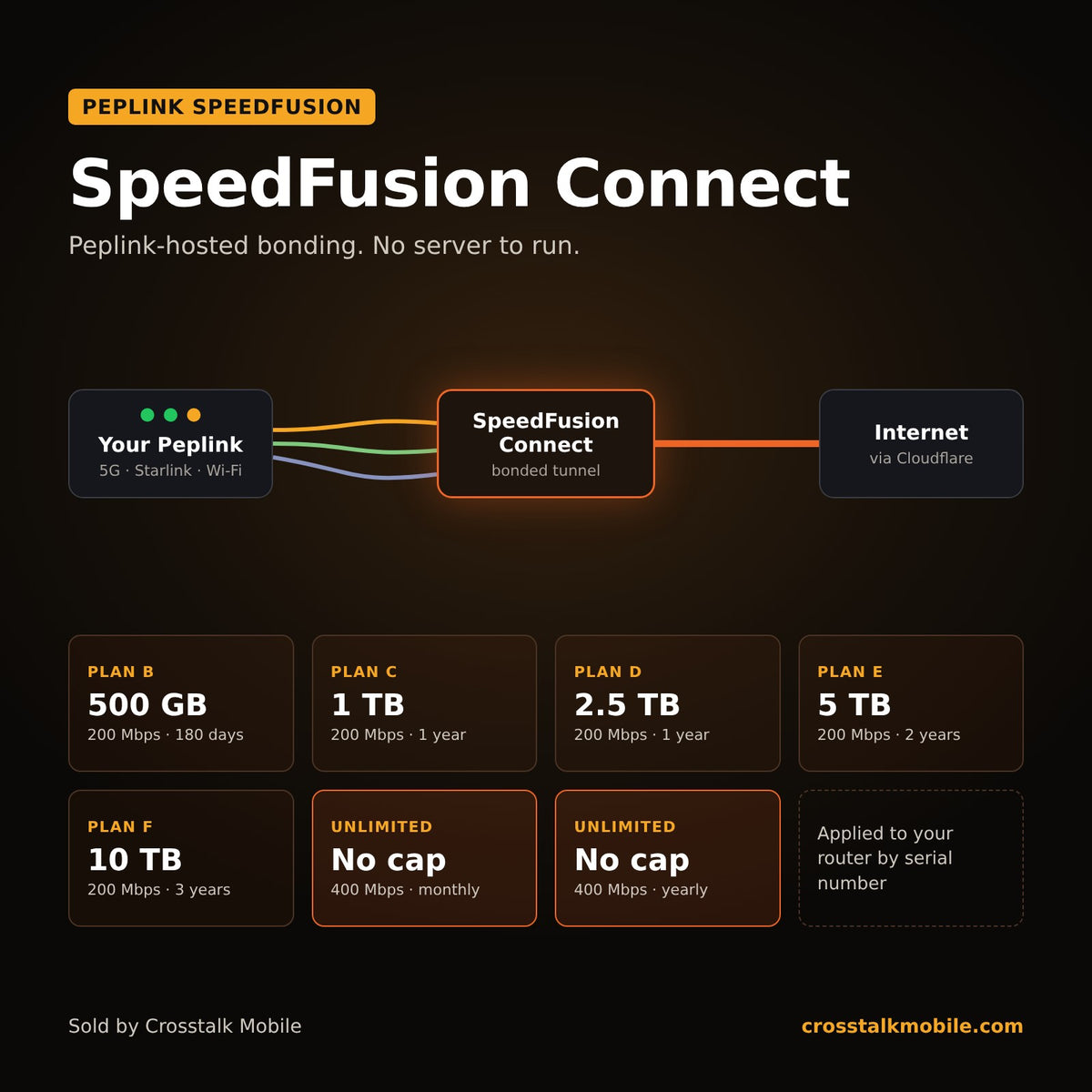
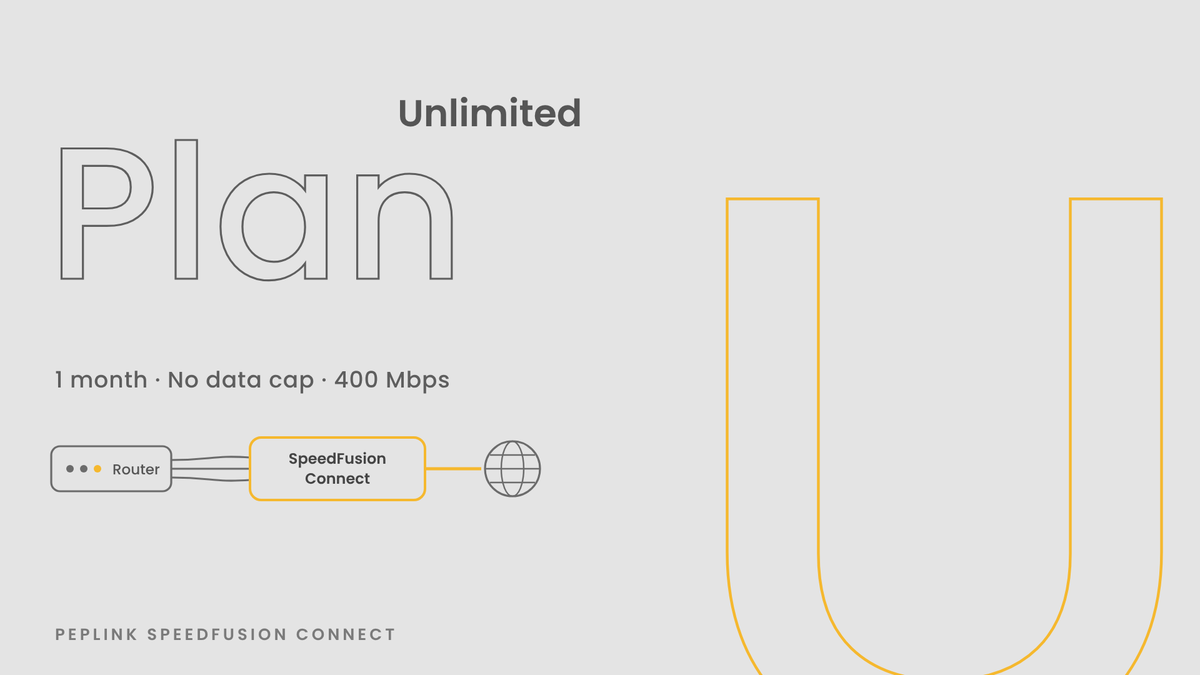

SpeedFusion Connect is Peplink's hosted SpeedFusion service. Your router builds a bonded tunnel to a Peplink server in the cloud, and your traffic exits to the internet from there. You get SpeedFusion bonding and hot failover across every WAN on your router, and there is no hub of your own to build, host, or patch. Pick a data plan below, enter your router's serial number at checkout, and we'll apply the plan to that router for you.
Pick a SpeedFusion Connect plan
Each plan is a block of data with an expiration date and a throughput cap. Data plans cap throughput at 200 Mbps. Unlimited plans have no data cap and cap throughput at 400 Mbps.
Plan Data Term Throughput cap Price Plan B 500 GB 180 days 200 Mbps $20 Plan C 1 TB 1 year 200 Mbps $40 Plan D 2.5 TB 1 year 200 Mbps $80 Plan E 5 TB 2 years 200 Mbps $159 Plan F 10 TB 3 years 200 Mbps $299 Unlimited, 1 month No cap 1 month 400 Mbps $99/month Unlimited, 1 year No cap 1 year 400 Mbps $800/year Not sure how much data you'll use? Look at a month of WAN usage in InControl and multiply it by the term. Light traffic like VoIP, remote desktop, and point of sale fits comfortably in the smaller plans. If you stream video or push large backups through the tunnel every day, compare your total against the unlimited plans before you buy.
How it works
- Choose a plan and enter the serial number of the Peplink router that will use it. You'll find the serial on the label under the router or on its dashboard in InControl.
- We apply the plan to that serial number in InControl.
- Turn on SpeedFusion Connect on the router or in InControl, choose a location, and pick which WANs and which client devices go through the tunnel.
Some routers covered by PrimeCare already include a yearly SpeedFusion Connect allowance. Check your device's page in InControl before you buy, so you aren't paying for data you already have.
Why bond through SpeedFusion Connect
Peplink SpeedFusion splits your traffic across every connected WAN and puts it back together on the far end of the tunnel. When one cellular line or Starlink link drops, your sessions keep running on what's left, so a VoIP call or a video meeting stays up. That far end has to live somewhere. SpeedFusion Connect puts it on Peplink's servers, which makes it the simplest way to get bonding on a mobile setup, a pop-up site, or a branch with no data center to land on.
Peplink also built Cloudflare WARP into SpeedFusion Connect, so traffic leaves through Cloudflare's network instead of a single hosting company address. That gets past a lot of sites that block data center IPs. Some streaming services still flag it as a VPN, and an outbound policy rule that sends streaming straight out a WAN fixes most of those.
Would you rather run your own hub? Our SpeedFusion Hub vs SpeedFusion Connect guide compares the cost of self-hosting against these plans.
Tech notes

The chart above lines up every SpeedFusion Connect usage plan by data, term, and throughput cap. A few details people ask us about:
- A plan belongs to one router. It's tied to the serial number you give us at checkout.
- The throughput cap is the most the tunnel will carry on that plan. Your real numbers depend on your WAN links and on your router's SpeedFusion rating, which is listed on every Peplink product page in our store.
- Your router needs firmware 8.4.0 or newer, and it needs to be registered to a PeplinkID so you can check remaining data in InControl.
- Unused data expires at the end of the term.
- This is a digital license. Nothing ships.
Questions about which plan fits? Call or text an engineer at 888-381-7750, Monday through Friday, 6:30 AM to 3:00 PM Pacific. You can also browse the Peplink routers we stock.
+$40.00 -
More info
SpeedFusion Connect is Peplink's hosted SpeedFusion service. Your router builds a bonded tunnel to a Peplink server in the cloud, and your traffic exits to the internet from there. You get SpeedFusion bonding and hot failover across every WAN on your router, and there is no hub of your own to build, host, or patch. Pick a data plan below, enter your router's serial number at checkout, and we'll apply the plan to that router for you.
Pick a SpeedFusion Connect plan
Each plan is a block of data with an expiration date and a throughput cap. Data plans cap throughput at 200 Mbps. Unlimited plans have no data cap and cap throughput at 400 Mbps.
Plan Data Term Throughput cap Price Plan B 500 GB 180 days 200 Mbps $20 Plan C 1 TB 1 year 200 Mbps $40 Plan D 2.5 TB 1 year 200 Mbps $80 Plan E 5 TB 2 years 200 Mbps $159 Plan F 10 TB 3 years 200 Mbps $299 Unlimited, 1 month No cap 1 month 400 Mbps $99/month Unlimited, 1 year No cap 1 year 400 Mbps $800/year Not sure how much data you'll use? Look at a month of WAN usage in InControl and multiply it by the term. Light traffic like VoIP, remote desktop, and point of sale fits comfortably in the smaller plans. If you stream video or push large backups through the tunnel every day, compare your total against the unlimited plans before you buy.
How it works
- Choose a plan and enter the serial number of the Peplink router that will use it. You'll find the serial on the label under the router or on its dashboard in InControl.
- We apply the plan to that serial number in InControl.
- Turn on SpeedFusion Connect on the router or in InControl, choose a location, and pick which WANs and which client devices go through the tunnel.
Some routers covered by PrimeCare already include a yearly SpeedFusion Connect allowance. Check your device's page in InControl before you buy, so you aren't paying for data you already have.
Why bond through SpeedFusion Connect
Peplink SpeedFusion splits your traffic across every connected WAN and puts it back together on the far end of the tunnel. When one cellular line or Starlink link drops, your sessions keep running on what's left, so a VoIP call or a video meeting stays up. That far end has to live somewhere. SpeedFusion Connect puts it on Peplink's servers, which makes it the simplest way to get bonding on a mobile setup, a pop-up site, or a branch with no data center to land on.
Peplink also built Cloudflare WARP into SpeedFusion Connect, so traffic leaves through Cloudflare's network instead of a single hosting company address. That gets past a lot of sites that block data center IPs. Some streaming services still flag it as a VPN, and an outbound policy rule that sends streaming straight out a WAN fixes most of those.
Would you rather run your own hub? Our SpeedFusion Hub vs SpeedFusion Connect guide compares the cost of self-hosting against these plans.
Tech notes
The chart above lines up every SpeedFusion Connect usage plan by data, term, and throughput cap. A few details people ask us about:
- A plan belongs to one router. It's tied to the serial number you give us at checkout.
- The throughput cap is the most the tunnel will carry on that plan. Your real numbers depend on your WAN links and on your router's SpeedFusion rating, which is listed on every Peplink product page in our store.
- Your router needs firmware 8.4.0 or newer, and it needs to be registered to a PeplinkID so you can check remaining data in InControl.
- Unused data expires at the end of the term.
- This is a digital license. Nothing ships.
Questions about which plan fits? Call or text an engineer at 888-381-7750, Monday through Friday, 6:30 AM to 3:00 PM Pacific. You can also browse the Peplink routers we stock.
+$80.00 -
More info
SpeedFusion Connect is Peplink's hosted SpeedFusion service. Your router builds a bonded tunnel to a Peplink server in the cloud, and your traffic exits to the internet from there. You get SpeedFusion bonding and hot failover across every WAN on your router, and there is no hub of your own to build, host, or patch. Pick a data plan below, enter your router's serial number at checkout, and we'll apply the plan to that router for you.
Pick a SpeedFusion Connect plan
Each plan is a block of data with an expiration date and a throughput cap. Data plans cap throughput at 200 Mbps. Unlimited plans have no data cap and cap throughput at 400 Mbps.
Plan Data Term Throughput cap Price Plan B 500 GB 180 days 200 Mbps $20 Plan C 1 TB 1 year 200 Mbps $40 Plan D 2.5 TB 1 year 200 Mbps $80 Plan E 5 TB 2 years 200 Mbps $159 Plan F 10 TB 3 years 200 Mbps $299 Unlimited, 1 month No cap 1 month 400 Mbps $99/month Unlimited, 1 year No cap 1 year 400 Mbps $800/year Not sure how much data you'll use? Look at a month of WAN usage in InControl and multiply it by the term. Light traffic like VoIP, remote desktop, and point of sale fits comfortably in the smaller plans. If you stream video or push large backups through the tunnel every day, compare your total against the unlimited plans before you buy.
How it works
- Choose a plan and enter the serial number of the Peplink router that will use it. You'll find the serial on the label under the router or on its dashboard in InControl.
- We apply the plan to that serial number in InControl.
- Turn on SpeedFusion Connect on the router or in InControl, choose a location, and pick which WANs and which client devices go through the tunnel.
Some routers covered by PrimeCare already include a yearly SpeedFusion Connect allowance. Check your device's page in InControl before you buy, so you aren't paying for data you already have.
Why bond through SpeedFusion Connect
Peplink SpeedFusion splits your traffic across every connected WAN and puts it back together on the far end of the tunnel. When one cellular line or Starlink link drops, your sessions keep running on what's left, so a VoIP call or a video meeting stays up. That far end has to live somewhere. SpeedFusion Connect puts it on Peplink's servers, which makes it the simplest way to get bonding on a mobile setup, a pop-up site, or a branch with no data center to land on.
Peplink also built Cloudflare WARP into SpeedFusion Connect, so traffic leaves through Cloudflare's network instead of a single hosting company address. That gets past a lot of sites that block data center IPs. Some streaming services still flag it as a VPN, and an outbound policy rule that sends streaming straight out a WAN fixes most of those.
Would you rather run your own hub? Our SpeedFusion Hub vs SpeedFusion Connect guide compares the cost of self-hosting against these plans.
Tech notes
The chart above lines up every SpeedFusion Connect usage plan by data, term, and throughput cap. A few details people ask us about:
- A plan belongs to one router. It's tied to the serial number you give us at checkout.
- The throughput cap is the most the tunnel will carry on that plan. Your real numbers depend on your WAN links and on your router's SpeedFusion rating, which is listed on every Peplink product page in our store.
- Your router needs firmware 8.4.0 or newer, and it needs to be registered to a PeplinkID so you can check remaining data in InControl.
- Unused data expires at the end of the term.
- This is a digital license. Nothing ships.
Questions about which plan fits? Call or text an engineer at 888-381-7750, Monday through Friday, 6:30 AM to 3:00 PM Pacific. You can also browse the Peplink routers we stock.
+$800.00


Discount applied automatically at checkout.
SpeedFusion bonding speeds
The BR1 Mini 5G RedCap is Peplink's compact industrial cellular router for equipment that has to stay online for years. Typical jobs are card readers, kiosks, digital signs, utility meters, PLCs, and vehicle telematics.
It runs on 5G RedCap (Reduced Capability), the version of 5G built for connected devices. RedCap gives up peak speed in exchange for lower power draw and a simpler modem. Where 5G standalone service hasn't reached a site yet, it runs on LTE, and it moves over to 5G when coverage arrives, with no site visit.
Choose the wired model for equipment that plugs in over Ethernet. Choose the Wi-Fi model if you also want a local hotspot, or want to use a site's Wi-Fi as a backup WAN.
Who it's for
This is an IoT router sized for a few devices that send small amounts of data all day. Most M2M router jobs fit here: a register and a card terminal, a menu board, a PLC reporting back to a SCADA server, or a tracker on a work truck.
Peplink rates it for 1 to 60 users, but it isn't meant to be the main connection for an office full of people on video calls and file uploads. If you want the same small case for faster, more data heavy work, like video, a busy checkout, or a small office, the MAX BR1 Mini 5G has a full 5G modem. Bigger sites should look at the MAX BR1 Pro 5G or the B One 5G.
Built to drop into existing sites
Like an LTE router, the BR1 Mini RedCap needs just two cellular antennas. Existing antennas and cable runs can stay in place as long as they cover your 5G bands. The case matches the BR1 Mini LTE's dimensions, so the mounting hardware and DIN rail kits you already have still work.
Typical power draw is 4.2 W on the wired model and 5.2 W with Wi-Fi. Power comes from the included 12 V adapter, a 10 to 30 V DC feed through the 4-pin connector, or 802.3at PoE on LAN 1. That makes it easy to run from a site's existing backup power, a solar setup, or a sealed enclosure.
It's rated from -40 to 149°F and carries UL Class I, Division 2 certification for hazardous locations. It also has shock, vibration, and railway ratings (EN 61373 and EN 50155). GPIO and ignition sensing let it start and stop with a vehicle or react to site equipment.
SIM and eSIM options
The BR1 Mini RedCap is also an eSIM router. It has two nano-SIM slots for redundancy, a built-in Peplink eSIM, and room for up to four of your own eSIM profiles. Pair it with one of our 5G data plans and keep a second line as a backup.
Network slicing
The BR1 Mini RedCap connects straight to the 5G core, which network slicing requires. Where the network supports it, you can put an app like point of sale on its own slice while everything else stays on the regular network. Availability depends on the carrier and the plan.
Managed from InControl
Every router reports to InControl, Peplink's cloud dashboard. You can push settings to every site at once and get alerts when a link drops. InTouch gives you remote access to equipment on the router's LAN, like a PLC or an IP camera, without a VPN. PrimeCare is included for the first year.
Licensing note
Some features need active PrimeCare (first year included) or the BR1 Mini feature pack (MAX-BR1-MINI-LC-FP). Those are Ethernet WAN, Wi-Fi WAN, hot failover, WAN smoothing, bandwidth bonding, and SpeedFusion Boost. If you plan to use the Ethernet port as a wired WAN after year one, keep PrimeCare active or add the feature pack.
Questions we get
Is 5G RedCap slower than regular 5G?
Yes. RedCap uses a simpler modem with fewer antennas, so its rated speeds are lower than a full 5G router's. For POS, meters, and telemetry that's fine, since those devices send small amounts of data. For a busy office or video, get a full 5G router like the MAX BR1 Mini 5G.
What happens where there's no 5G?
It runs on LTE. When 5G service reaches the site, the router switches over on its own.
Can I reuse my LTE antennas?
Usually. It uses two cellular antennas plus GPS, like an LTE router. Check that your antennas cover the 5G bands your network uses.
Do I need anything extra to use the Ethernet port as a WAN?
Yes, after the first year. Ethernet WAN needs active PrimeCare or the BR1 Mini feature pack.
In the box
The router, 2 LTE/5G antennas (ACW-235), 1 active GPS antenna (ACW-232), and a 12 V 2 A 4-pin power supply (ACW-632). The Wi-Fi model also includes 2 dual-band Wi-Fi antennas (ACW-342).
Want the longer version? Read our guide, What is 5G RedCap and when should you use it. Not sure if RedCap fits your site? Call or text an engineer at 888-381-7750, Monday through Friday, 6:30 AM to 3:00 PM Pacific.
Tech specs
| SKU | MAX-BR1-MINI-5GRC-P-T-M-PRM (wired) MAX-BR1-MINI-5GRC-P-T-PRM (Wi-Fi) |
| Modem | 1x 5G RedCap with redundant SIM slots |
| Rated cellular data rate | 5G RedCap: 223 Mbps down / 123 Mbps up LTE Cat 4: 200 Mbps down / 105 Mbps up (theoretical maximums) |
| SIM options | 2x nano-SIM, Peplink eSIM, BYO eSIM (4 profiles) |
| Antenna connectors | 2x SMA cellular, 1x SMA GPS Wi-Fi model adds 2x RP-SMA Wi-Fi |
| Ethernet | 1x GE WAN/LAN, 2x GE LAN (LAN 1 with 802.3at PoE in) |
| Wi-Fi | Wi-Fi model only: Wi-Fi 5, dual band, 2x2 MIMO, AP and/or Wi-Fi WAN |
| Router throughput | 300 Mbps |
| SpeedFusion throughput | 80 Mbps unencrypted, 60 Mbps AES-256 |
| SpeedFusion peers | 2 (5 with PrimeCare or feature pack) |
| Recommended users | 1 to 60 |
| I/O | GPIO, ignition sensing |
| Power input | 12 V adapter, 10 to 30 V DC 4-pin Micro-Fit, 802.3at PoE |
| Power draw | Wired: 4.2 W typical, 6.7 W max Wi-Fi: 5.2 W typical, 10 W max |
| Size | 5.0 x 4.2 x 1.4 in (125.7 x 107 x 35 mm) |
| Weight | 0.95 lb (430 g) |
| Operating temperature | -40 to 149°F (-40 to 65°C) |
| Humidity | 15 to 95% non-condensing |
| Certifications | FCC, CE, RoHS, UL 121201 Class I Division 2, EN 61373, EN 50155, EN 61000 |
| Warranty | 1-year limited, PrimeCare first year included |
Official Peplink data sheet — full specs, ports, throughput, and regulatory info.
Open data sheet (PDF)Free standard shipping on hardware orders over $250. Same-day shipping if ordered by 2pm EST.
Returns: 14 days from delivery. Items must be in new, unused condition with all original packaging, accessories, and documentation intact. A 10% restocking fee applies to all returns (waived for items that arrive defective or dead on arrival). Original shipping charges are non-refundable; return shipping is the customer's responsibility. Peplink subscription licenses (PrimeCare, Virtual WAN, SpeedFusion) are non-refundable. Email CustomerService@CrosstalkMobile.com with your order number to start a return.
