Your APN
iot.cc.static
Enter this exactly as shown. Lowercase, no spaces.

Setup
Here's how to get a static IP address working on a static IP SIM card. It takes one change: switch your router's cellular APN to the static IP APN below. The IP stays assigned to your line for the life of the add-on.
Your APN
iot.cc.static
Enter this exactly as shown. Lowercase, no spaces.
An APN (Access Point Name) tells the cellular network which gateway your SIM connects through. Every plan has a default APN. Static IP service uses its own APN, iot.cc.static, so the network routes your line to the static IP pool instead of the regular dynamic one.
On the default APN, you'll get a public dynamic IPv4 address in most cases, but that depends on your location and isn't guaranteed the way a static IP is. A dynamic address can also change. The static IP APN gives your line a fixed public IP that stays the same. That's what you want for remote access: reaching cameras, a VPN server, or a router's admin page from outside your network without chasing a new address.
You may also see private APNs mentioned. Those put devices on a closed network that the internet can't reach, which is a different setup from a static IP.
If your router shows 192.0.0.2 instead of your static IP, here's why some 5G backup devices can't get a static IP.
Exact menu names vary by router, but the path is similar on every device.
On Peplink: InControl, or the local web UI at the router's IP address. On UniFi: Network app. On a different router: the manufacturer's web UI.
Usually under Network › WAN › Cellular, or Connection Settings. Look for an "APN" field. It may currently be blank, set to automatic, or set to the carrier default.
Switch from automatic to manual. Type iot.cc.static into the APN field. Leave username, password, and authentication type blank or as "none." Save and reconnect.
After the modem reconnects, your WAN IP should be the static IP we provisioned. Confirm at whatismyip.com from a device behind the router.
iot.cc.static. Leave Username and Password blank.This example uses a MAX BR2 Pro on firmware 8.6. Most Peplink models use the same menus.
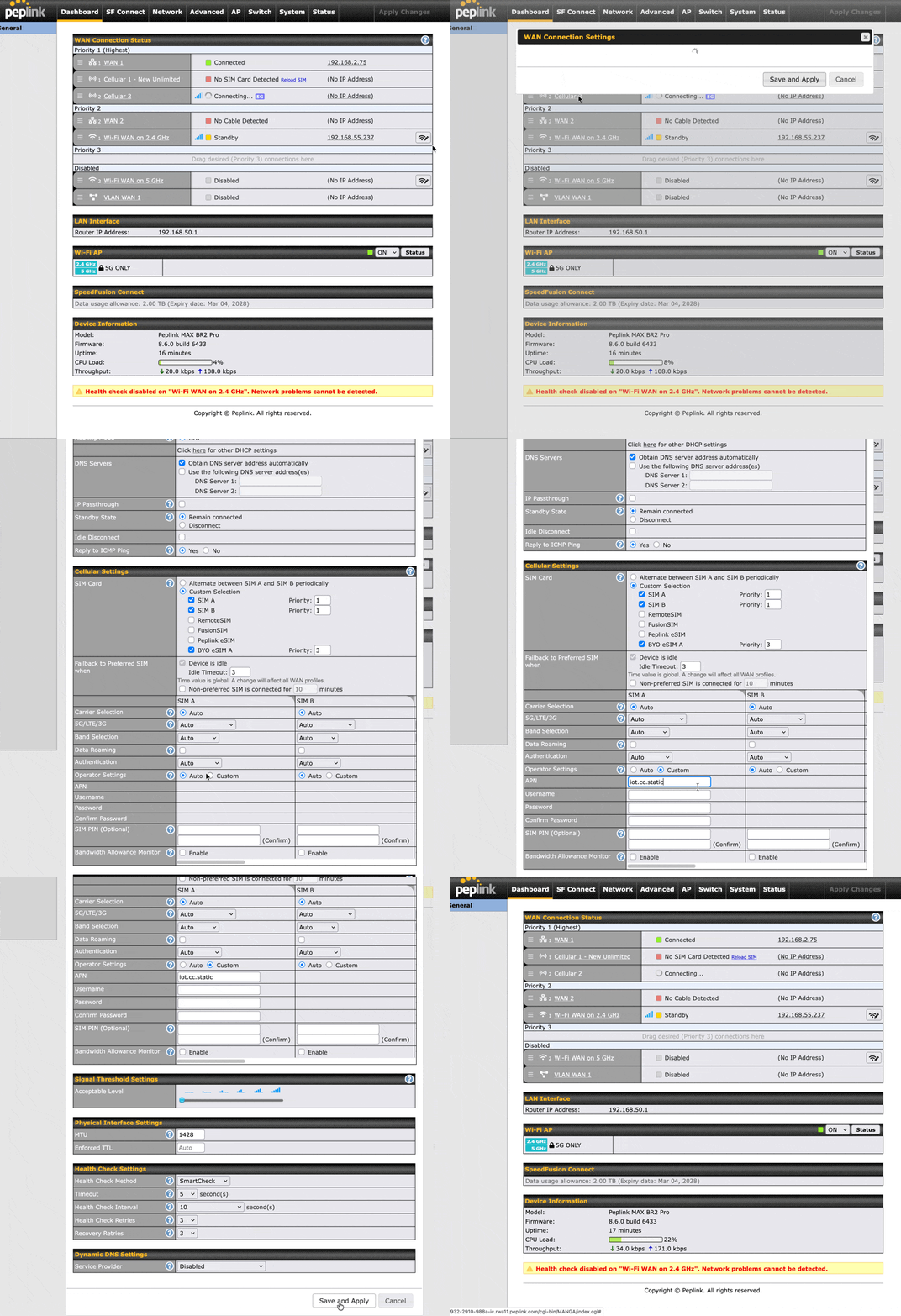
iot.cc.static.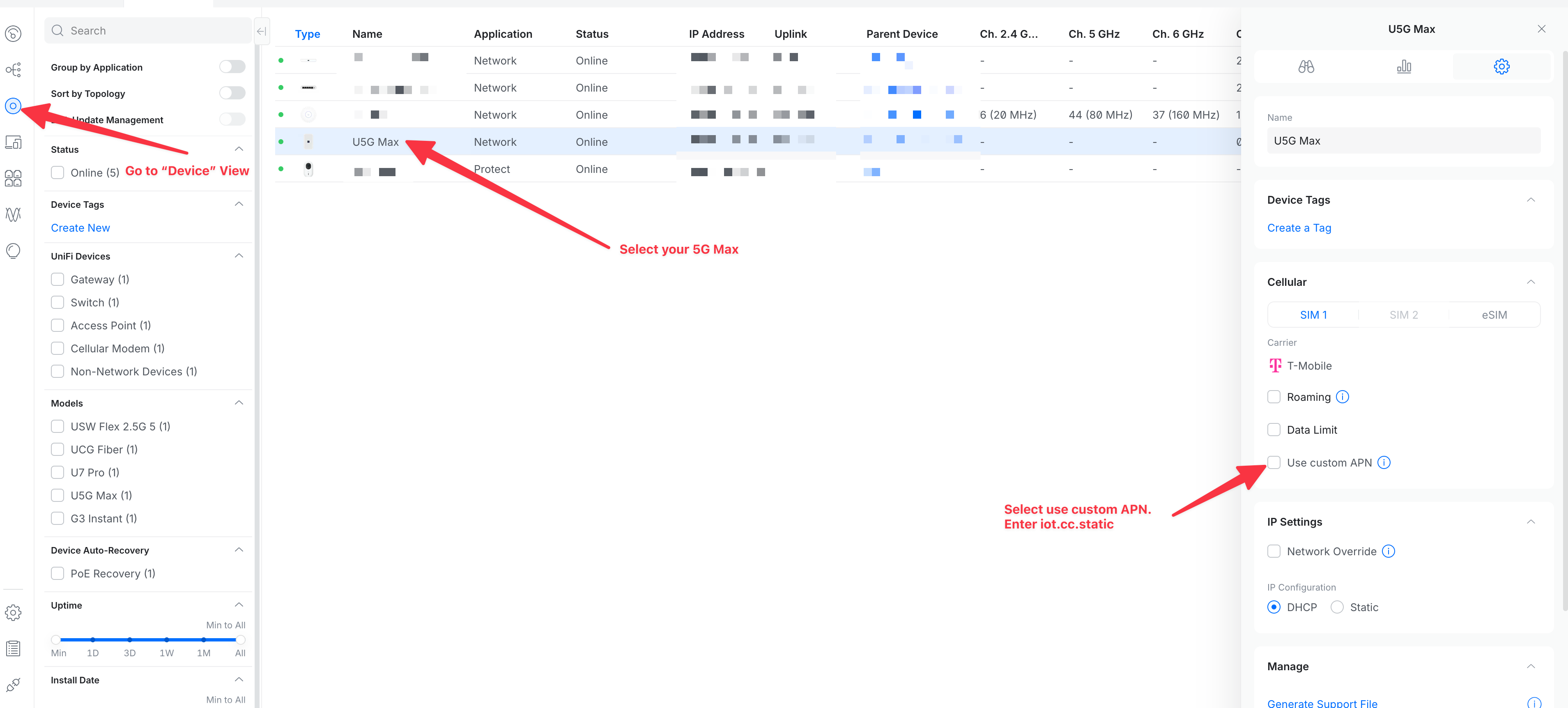
Have a different router? Use the general steps, or contact our team for help. Don't have a static IP yet? Add one to your line from the Static IP product page.