


Peplink MAX Orbit 2 Dual Satellite Router for Starlink
Optional accessories
Compatible mounts, cables, and antennas.
-
More info

Hardwire your Peplink or Pepwave router straight into a vehicle or equipment DC power system with the Peplink ACW-634 10ft DC Power Cable. One end has the 4-pin Molex Micro-Fit connector used on Peplink mobile routers; the other end is bare, direct-wire leads ready for your fuse block, battery or power distribution panel. It is the Peplink-recommended way to permanently install a router in a vehicle and to use ignition sensing.
Ignition Sense: Router Power That Follows the Key
The 4-pin connector carries more than just power. Along with the positive and ground leads, it has a dedicated ignition input (IGN) lead and an I/O (GPIO) lead. Wire the IGN lead to an ignition-switched (accessory) circuit and the router knows when the engine is on or off.
- Key on: the router powers up and connects automatically. No buttons to press.
- Key off: the router stays online for a delay you choose, then shuts down cleanly so it never drains the battery.
- Short stops covered: fueling, deliveries and quick stops don't drop the connection, because the router waits out the delay before powering down.
Ignition sensing is turned on in the router's web admin under Advanced > Misc. Settings > GPIO. If you don't need it, simply leave the IGN lead insulated and unconnected.
12V to 52V DC Wiring
The ACW-634 is built for hardwired DC installs across 12V to 52V DC systems, covering cars, vans and pickups (12V), trucks, buses and heavy equipment (24V), and 48V marine, solar, telecom and battery-bank systems.
Important: the safe input voltage depends on your router model. For example, the BR1 Pro 5G accepts 10V–30V DC, while the Transit Duo Pro accepts 12V–56V DC. Please check your router's DC input rating before connecting, or reach out to Crosstalk Mobile if you're unsure.
- Positive (+): connect to a constant (always-on) fused positive source.
- Ground (–): connect to chassis ground or the negative bus bar.
- Ignition (IGN): connect to a fused, ignition-switched circuit. Leave unconnected if not used.
- I/O (GPIO): optional; leave insulated unless you use the router's GPIO features.
Install tips: add an inline fuse close to the power source, match each lead to the pin labels in your router's hardware guide, and secure the cable away from heat and moving parts. For fleet or commercial installs, Crosstalk Mobile can help plan the wiring.
Compatible Peplink Routers
BR1 Classic (HW3), BR1 Mini, BR1 Mini Core, BR1 Mini 5G, BR1 Mini 5G (Wi-Fi), BR1 Mini M2M, BR1 Pro (CAT-20), BR1 Pro 5G, BR2 Pro, BR2 Micro, BR2, Transit Mini, Transit Core, Transit Duo Pro, Transit Pro E, B One, B One Plus, B One 5G and MAX Adapter.
Frequently Asked Questions
Do I have to connect the ignition (IGN) wire?
No. If you don't need ignition sensing, leave the IGN lead insulated and unconnected and the router will run whenever power is applied.Can I use this on a 24V truck or 48V system?
The cable can be used across 12V–52V DC systems, but your router must also support that voltage. Check your router's DC input rating, or contact us and we'll confirm before you wire it.Do I need a fuse?
Yes. The cable has no built-in fuse, so install an inline fuse close to the power source, sized to your router's power requirements.Which routers does it fit?
Any Peplink router with the 4-pin Molex Micro-Fit power port, including the BR1 Mini, BR1 Pro 5G, BR2 Pro, Transit and B One series listed above.Specifications
- Part number: ACW-634
- Router end: 4-pin Molex Micro-Fit connector
- Source end: direct-wire bare leads
- Length: 10 ft / 3 m
- DC systems: 12V–52V DC (safe voltage depends on router model)
- Supports: ignition sensing and GPIO on compatible routers
- Brand: Peplink (genuine accessory)
-
More info
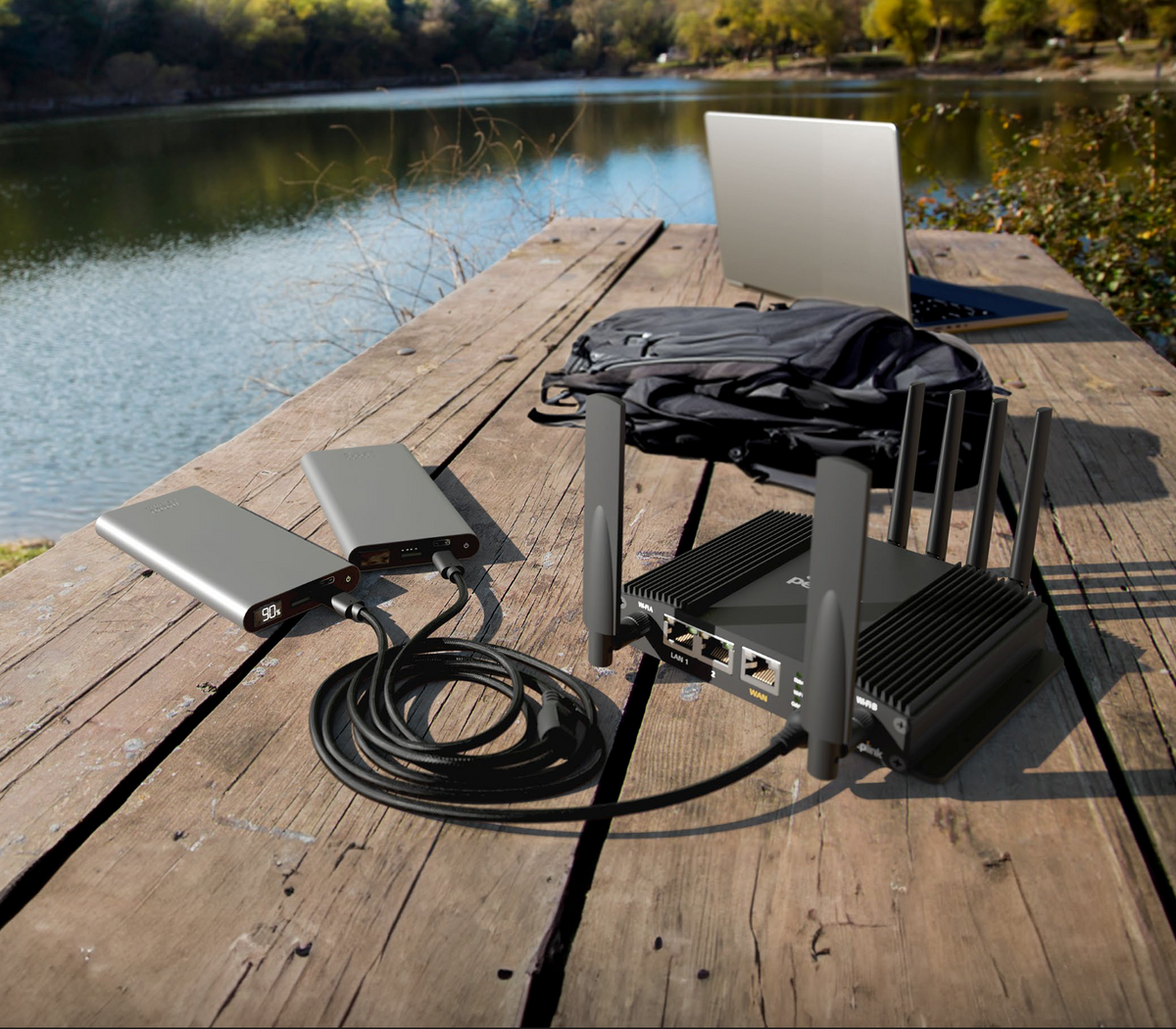

Power your Peplink router from USB-C instead of a dedicated DC supply. The ACW-791 connects any Peplink router with a 4-pin (Molex) power input to USB-C sources you already carry, like power banks and AC adapters.
The cable splits into two USB-C plugs. Connect two power banks and they share the load equally while jointly supplying 15V to the router. If one bank runs flat or fails, the other keeps the router running without a drop in connection. That makes it a good fit for vehicle installs, pop-up sites and field work where mains power isn't guaranteed.
The outer jacket is nylon braided, so it holds up to being coiled, packed and pulled around on the job.
Specifications
- Part number: ACW-791
- Router end: 4-pin (Molex)
- Source end: dual USB-C
- Overall length: approx. 1500 mm
- Split lengths: approx. 400 mm and 1070 mm
- Protection: 3A current protection on each USB-C port
- Jacket: braided nylon
Compatibility
Works with any Peplink router fitted with a 4-pin (Molex) power input.Recommended power source
+$19.00
Use a source that can deliver 15V. Peplink routers will run on 12V, but 15V gives more reliable performance. -
More info

This injector adds power to an Ethernet cable so one cable can connect and power a PoE device. It's IEEE 802.3af/at compliant, so it works with standard PoE equipment. The 802.3af standard supplies up to 15.4 W per port and 802.3at supplies up to 30 W.
Plug the injector into an outlet and connect your router or switch to its data-in port. Then run a cable from the PoE-out port to the device. Ethernet runs can be up to 100 meters (328 feet), which is usually enough to reach a rooftop or the far side of a building.
With our equipment, people use it to:
- power an antenna enclosure on a roof or mast from indoors
- run a router without PoE input, together with the Splitter Max
- power a PoE access point or camera that the router's ports can't
If you're not sure whether a device needs 802.3af or 802.3at power, check its datasheet or call us at 888-381-7750.
+$79.00


Optional
Add SpeedFusion bonding
Bonding needs a hub. Pick a SpeedFusion Connect plan and we'll apply it to this router once it ships.
-
More info
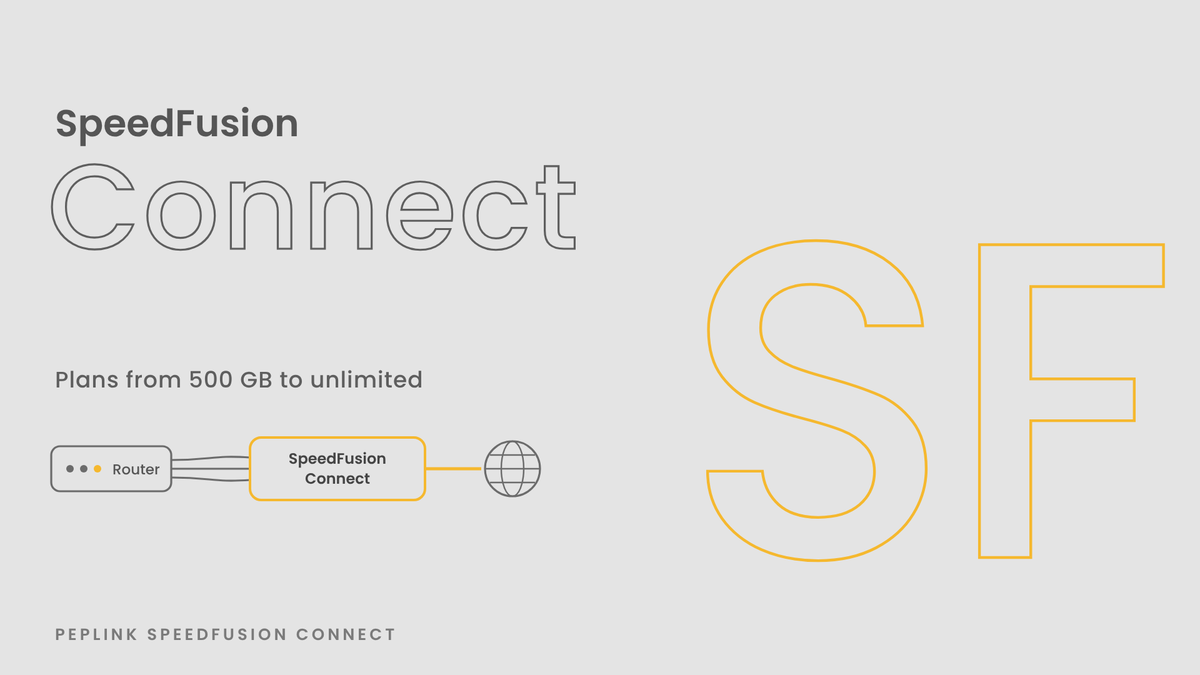


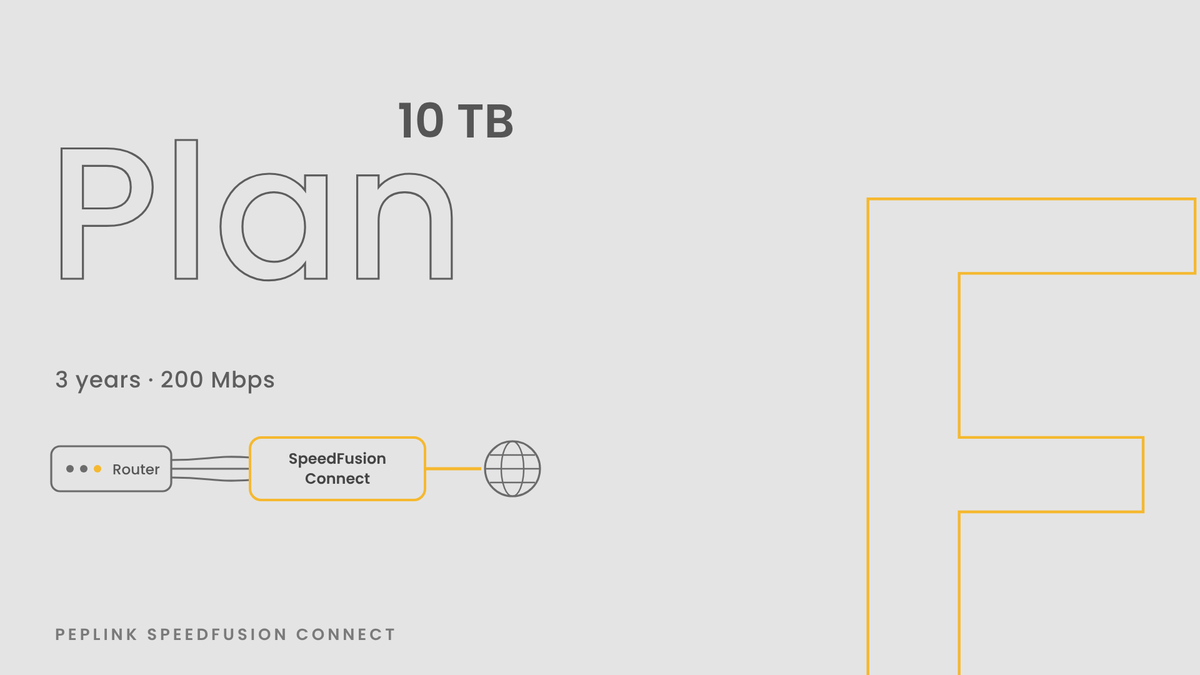
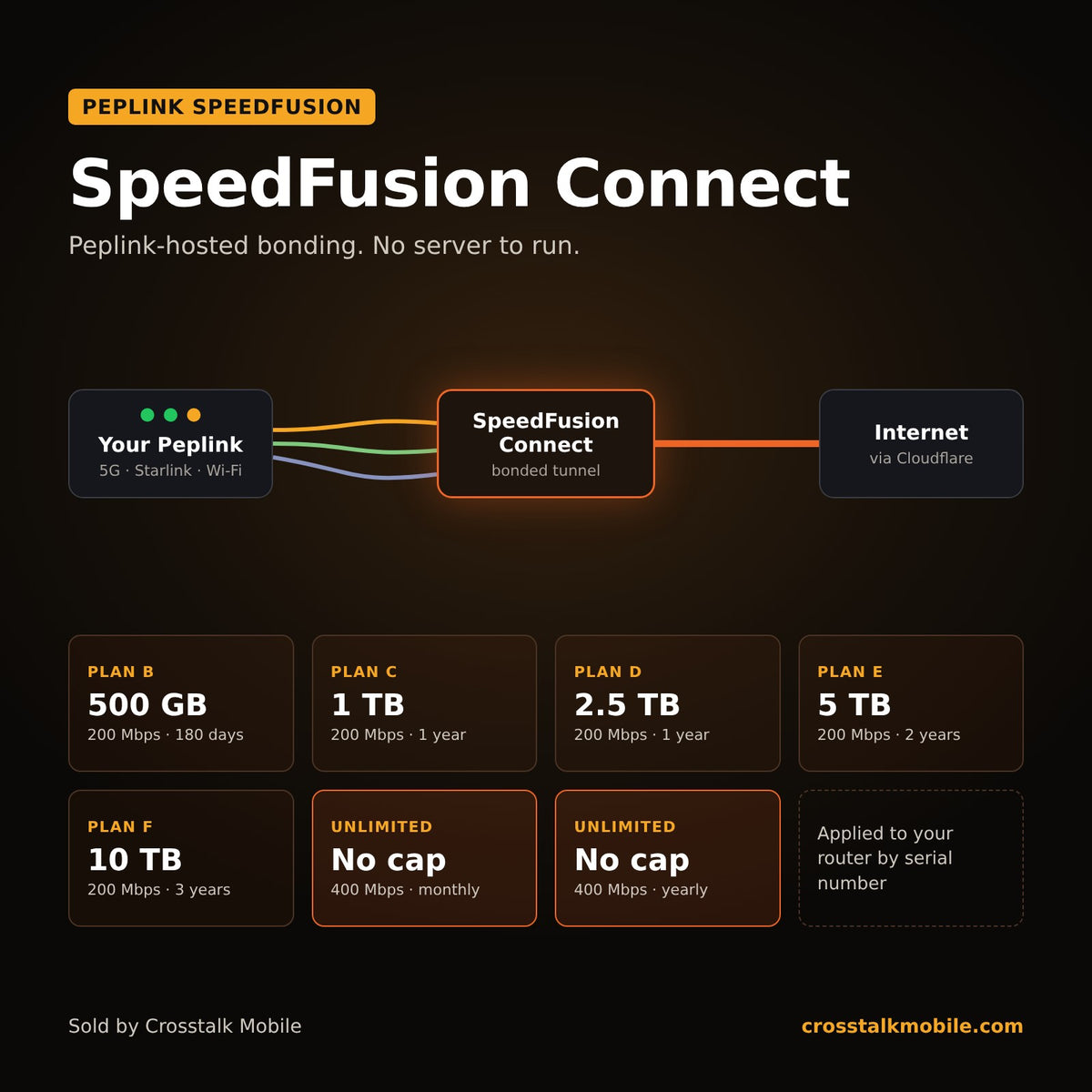
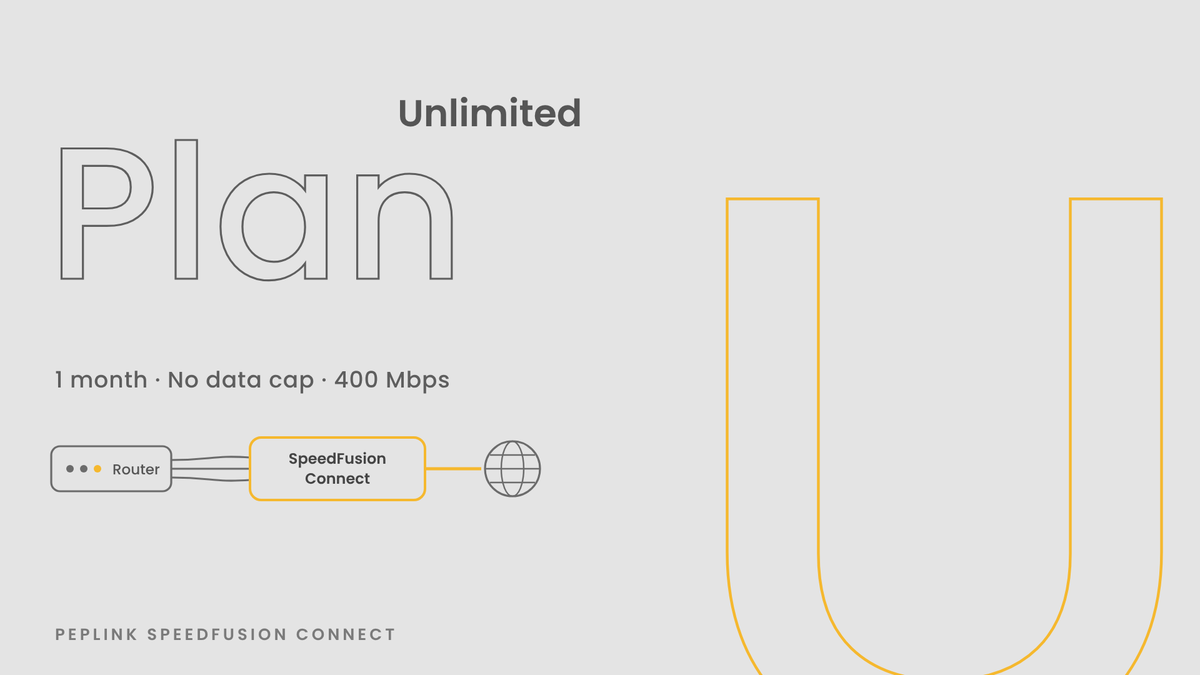

SpeedFusion Connect is Peplink's hosted SpeedFusion service. Your router builds a bonded tunnel to a Peplink server in the cloud, and your traffic exits to the internet from there. You get SpeedFusion bonding and hot failover across every WAN on your router, and there is no hub of your own to build, host, or patch. Pick a data plan below, enter your router's serial number at checkout, and we'll apply the plan to that router for you.
Pick a SpeedFusion Connect plan
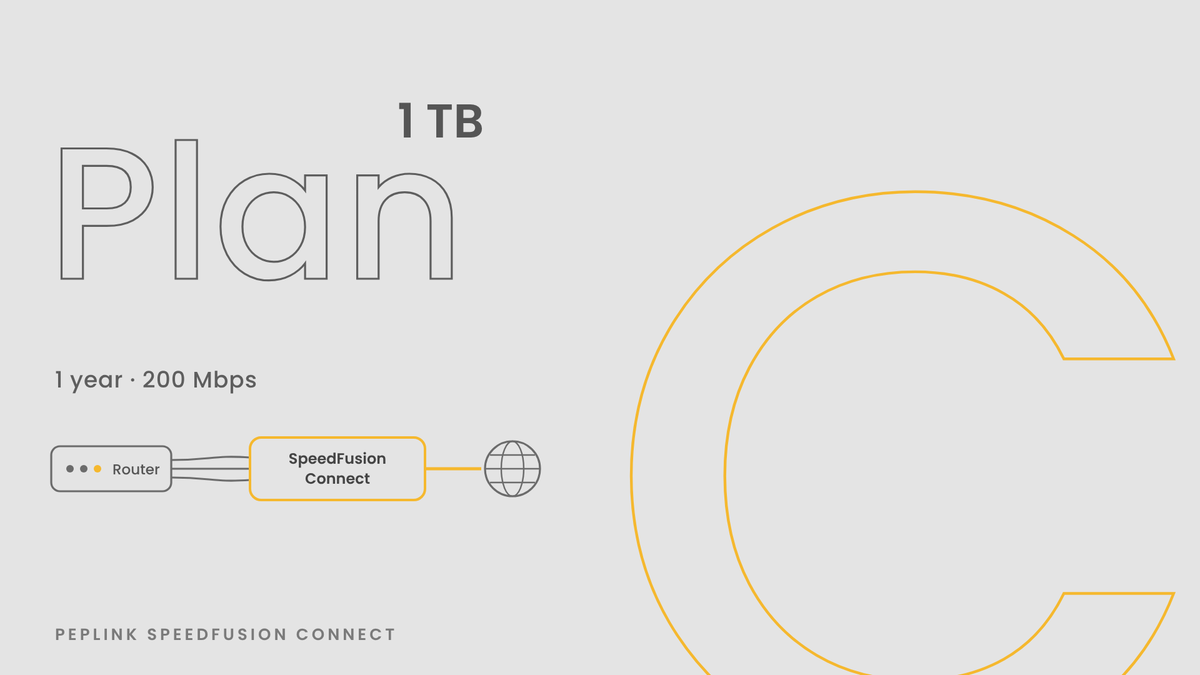
Each plan is a block of data with an expiration date and a throughput cap. Data plans cap throughput at 200 Mbps. Unlimited plans have no data cap and cap throughput at 400 Mbps.
Plan Data Term Throughput cap Price Plan B 500 GB 180 days 200 Mbps $20 Plan C 1 TB 1 year 200 Mbps $40 Plan D 2.5 TB 1 year 200 Mbps $80 Plan E 5 TB 2 years 200 Mbps $159 Plan F 10 TB 3 years 200 Mbps $299 Unlimited, 1 month No cap 1 month 400 Mbps $99/month Unlimited, 1 year No cap 1 year 400 Mbps $800/year Not sure how much data you'll use? Look at a month of WAN usage in InControl and multiply it by the term. Light traffic like VoIP, remote desktop, and point of sale fits comfortably in the smaller plans. If you stream video or push large backups through the tunnel every day, compare your total against the unlimited plans before you buy.
How it works
- Choose a plan and enter the serial number of the Peplink router that will use it. You'll find the serial on the label under the router or on its dashboard in InControl.
- We apply the plan to that serial number in InControl.
- Turn on SpeedFusion Connect on the router or in InControl, choose a location, and pick which WANs and which client devices go through the tunnel.
Some routers covered by PrimeCare already include a yearly SpeedFusion Connect allowance. Check your device's page in InControl before you buy, so you aren't paying for data you already have.
Why bond through SpeedFusion Connect
Peplink SpeedFusion splits your traffic across every connected WAN and puts it back together on the far end of the tunnel. When one cellular line or Starlink link drops, your sessions keep running on what's left, so a VoIP call or a video meeting stays up. That far end has to live somewhere. SpeedFusion Connect puts it on Peplink's servers, which makes it the simplest way to get bonding on a mobile setup, a pop-up site, or a branch with no data center to land on.
Peplink also built Cloudflare WARP into SpeedFusion Connect, so traffic leaves through Cloudflare's network instead of a single hosting company address. That gets past a lot of sites that block data center IPs. Some streaming services still flag it as a VPN, and an outbound policy rule that sends streaming straight out a WAN fixes most of those.
Would you rather run your own hub? Our SpeedFusion Hub vs SpeedFusion Connect guide compares the cost of self-hosting against these plans.
Tech notes

The chart above lines up every SpeedFusion Connect usage plan by data, term, and throughput cap. A few details people ask us about:
- A plan belongs to one router. It's tied to the serial number you give us at checkout.
- The throughput cap is the most the tunnel will carry on that plan. Your real numbers depend on your WAN links and on your router's SpeedFusion rating, which is listed on every Peplink product page in our store.
- Your router needs firmware 8.4.0 or newer, and it needs to be registered to a PeplinkID so you can check remaining data in InControl.
- Unused data expires at the end of the term.
- This is a digital license. Nothing ships.
Questions about which plan fits? Call or text an engineer at 888-381-7750, Monday through Friday, 6:30 AM to 3:00 PM Pacific. You can also browse the Peplink routers we stock.
+$40.00 -
More info
SpeedFusion Connect is Peplink's hosted SpeedFusion service. Your router builds a bonded tunnel to a Peplink server in the cloud, and your traffic exits to the internet from there. You get SpeedFusion bonding and hot failover across every WAN on your router, and there is no hub of your own to build, host, or patch. Pick a data plan below, enter your router's serial number at checkout, and we'll apply the plan to that router for you.
Pick a SpeedFusion Connect plan
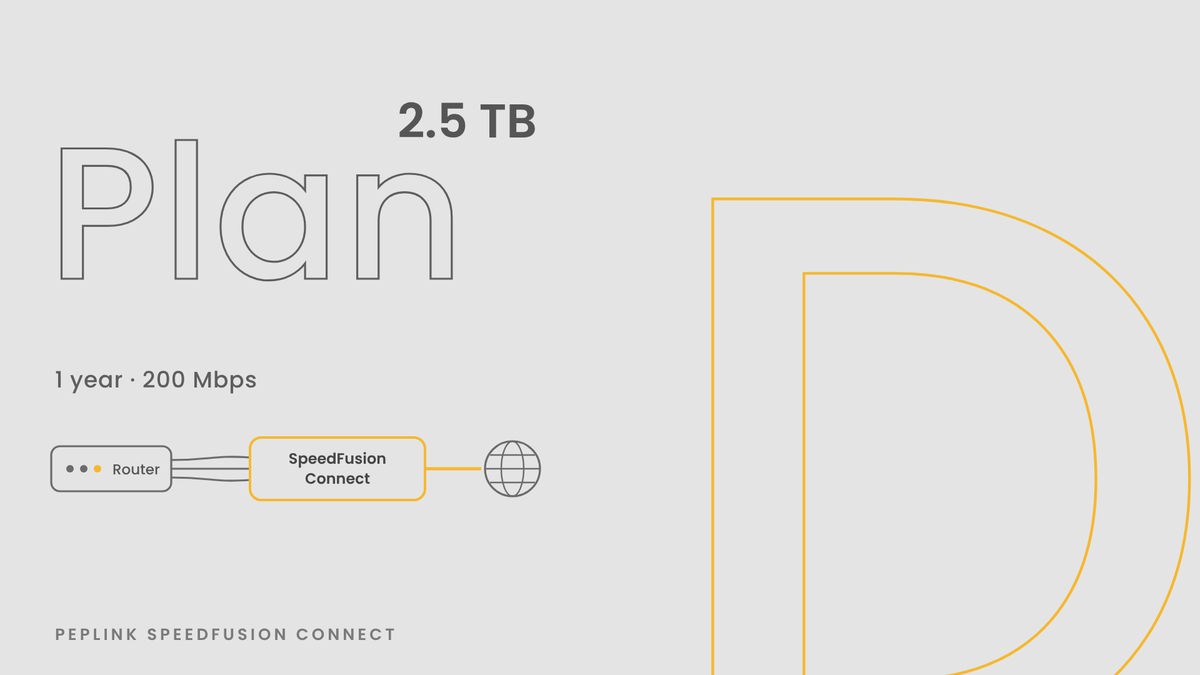
Each plan is a block of data with an expiration date and a throughput cap. Data plans cap throughput at 200 Mbps. Unlimited plans have no data cap and cap throughput at 400 Mbps.
Plan Data Term Throughput cap Price Plan B 500 GB 180 days 200 Mbps $20 Plan C 1 TB 1 year 200 Mbps $40 Plan D 2.5 TB 1 year 200 Mbps $80 Plan E 5 TB 2 years 200 Mbps $159 Plan F 10 TB 3 years 200 Mbps $299 Unlimited, 1 month No cap 1 month 400 Mbps $99/month Unlimited, 1 year No cap 1 year 400 Mbps $800/year Not sure how much data you'll use? Look at a month of WAN usage in InControl and multiply it by the term. Light traffic like VoIP, remote desktop, and point of sale fits comfortably in the smaller plans. If you stream video or push large backups through the tunnel every day, compare your total against the unlimited plans before you buy.
How it works
- Choose a plan and enter the serial number of the Peplink router that will use it. You'll find the serial on the label under the router or on its dashboard in InControl.
- We apply the plan to that serial number in InControl.
- Turn on SpeedFusion Connect on the router or in InControl, choose a location, and pick which WANs and which client devices go through the tunnel.
Some routers covered by PrimeCare already include a yearly SpeedFusion Connect allowance. Check your device's page in InControl before you buy, so you aren't paying for data you already have.
Why bond through SpeedFusion Connect
Peplink SpeedFusion splits your traffic across every connected WAN and puts it back together on the far end of the tunnel. When one cellular line or Starlink link drops, your sessions keep running on what's left, so a VoIP call or a video meeting stays up. That far end has to live somewhere. SpeedFusion Connect puts it on Peplink's servers, which makes it the simplest way to get bonding on a mobile setup, a pop-up site, or a branch with no data center to land on.
Peplink also built Cloudflare WARP into SpeedFusion Connect, so traffic leaves through Cloudflare's network instead of a single hosting company address. That gets past a lot of sites that block data center IPs. Some streaming services still flag it as a VPN, and an outbound policy rule that sends streaming straight out a WAN fixes most of those.
Would you rather run your own hub? Our SpeedFusion Hub vs SpeedFusion Connect guide compares the cost of self-hosting against these plans.
Tech notes
The chart above lines up every SpeedFusion Connect usage plan by data, term, and throughput cap. A few details people ask us about:
- A plan belongs to one router. It's tied to the serial number you give us at checkout.
- The throughput cap is the most the tunnel will carry on that plan. Your real numbers depend on your WAN links and on your router's SpeedFusion rating, which is listed on every Peplink product page in our store.
- Your router needs firmware 8.4.0 or newer, and it needs to be registered to a PeplinkID so you can check remaining data in InControl.
- Unused data expires at the end of the term.
- This is a digital license. Nothing ships.
Questions about which plan fits? Call or text an engineer at 888-381-7750, Monday through Friday, 6:30 AM to 3:00 PM Pacific. You can also browse the Peplink routers we stock.
+$80.00 -
More info
SpeedFusion Connect is Peplink's hosted SpeedFusion service. Your router builds a bonded tunnel to a Peplink server in the cloud, and your traffic exits to the internet from there. You get SpeedFusion bonding and hot failover across every WAN on your router, and there is no hub of your own to build, host, or patch. Pick a data plan below, enter your router's serial number at checkout, and we'll apply the plan to that router for you.
Pick a SpeedFusion Connect plan
Each plan is a block of data with an expiration date and a throughput cap. Data plans cap throughput at 200 Mbps. Unlimited plans have no data cap and cap throughput at 400 Mbps.
Plan Data Term Throughput cap Price Plan B 500 GB 180 days 200 Mbps $20 Plan C 1 TB 1 year 200 Mbps $40 Plan D 2.5 TB 1 year 200 Mbps $80 Plan E 5 TB 2 years 200 Mbps $159 Plan F 10 TB 3 years 200 Mbps $299 Unlimited, 1 month No cap 1 month 400 Mbps $99/month Unlimited, 1 year No cap 1 year 400 Mbps $800/year Not sure how much data you'll use? Look at a month of WAN usage in InControl and multiply it by the term. Light traffic like VoIP, remote desktop, and point of sale fits comfortably in the smaller plans. If you stream video or push large backups through the tunnel every day, compare your total against the unlimited plans before you buy.
How it works
- Choose a plan and enter the serial number of the Peplink router that will use it. You'll find the serial on the label under the router or on its dashboard in InControl.
- We apply the plan to that serial number in InControl.
- Turn on SpeedFusion Connect on the router or in InControl, choose a location, and pick which WANs and which client devices go through the tunnel.
Some routers covered by PrimeCare already include a yearly SpeedFusion Connect allowance. Check your device's page in InControl before you buy, so you aren't paying for data you already have.
Why bond through SpeedFusion Connect
Peplink SpeedFusion splits your traffic across every connected WAN and puts it back together on the far end of the tunnel. When one cellular line or Starlink link drops, your sessions keep running on what's left, so a VoIP call or a video meeting stays up. That far end has to live somewhere. SpeedFusion Connect puts it on Peplink's servers, which makes it the simplest way to get bonding on a mobile setup, a pop-up site, or a branch with no data center to land on.
Peplink also built Cloudflare WARP into SpeedFusion Connect, so traffic leaves through Cloudflare's network instead of a single hosting company address. That gets past a lot of sites that block data center IPs. Some streaming services still flag it as a VPN, and an outbound policy rule that sends streaming straight out a WAN fixes most of those.
Would you rather run your own hub? Our SpeedFusion Hub vs SpeedFusion Connect guide compares the cost of self-hosting against these plans.
Tech notes
The chart above lines up every SpeedFusion Connect usage plan by data, term, and throughput cap. A few details people ask us about:
- A plan belongs to one router. It's tied to the serial number you give us at checkout.
- The throughput cap is the most the tunnel will carry on that plan. Your real numbers depend on your WAN links and on your router's SpeedFusion rating, which is listed on every Peplink product page in our store.
- Your router needs firmware 8.4.0 or newer, and it needs to be registered to a PeplinkID so you can check remaining data in InControl.
- Unused data expires at the end of the term.
- This is a digital license. Nothing ships.
Questions about which plan fits? Call or text an engineer at 888-381-7750, Monday through Friday, 6:30 AM to 3:00 PM Pacific. You can also browse the Peplink routers we stock.
+$800.00


SpeedFusion bonding speeds
The MAX Orbit 2 is Peplink's smallest satellite router. It takes two satellite links, such as a pair of Starlink dishes or Starlink plus another service, and combines them into one connection with SpeedFusion. It's sized for a single vehicle, a kiosk, a small office, or a retail counter that can't go offline when one dish gets blocked.
Two links, one connection
The Orbit 2 has two Orbit ports for satellite terminals, one 2.5G and one 1G, plus a separate 1G LAN port for your wired network. Wi-Fi can also act as a WAN, so you can pull in a hotspot or a site's guest network as another link. With bonding turned on, traffic spreads across both satellite links. If one drops out, sessions keep running on the other.
Bonding needs a SpeedFusion hub on the far end. A SpeedFusion Connect data plan is the simplest way to get one. If you'd rather host your own, read our SpeedFusion Hub vs SpeedFusion Connect guide first.
Built for small spaces
At 146.8 x 129 x 29.3 mm and 550 g, the Orbit 2 fits behind a dash or on a shelf, and an optional DIN rail bracket (ACW-DIN-BR1) mounts it in a cabinet. You can power it three ways: the included 12 V adapter, a 10 to 30 V DC feed through its 4-pin Micro-Fit connector, or 802.3at PoE on the LAN port. It draws 9 W nominal. In the box you get the router, a 12 V 2 A power supply, two dual-band Wi-Fi antennas, and an active GPS antenna.
It has GPS for tracking in InControl, dual-band Wi-Fi 6 for up to 150 users, and Docker support with 8 GB of storage if you want to run a small app on the router itself.
What it doesn't have
There's no built-in cellular modem. To add 5G, connect a cellular router to one of the Orbit ports or join one over Wi-Fi WAN. The Orbit 2 also doesn't supply PoE to a dish.
Planning your install
Start with where the dishes will sit. Bonding helps most when the two terminals see different parts of the sky, so a tree or roofline that blocks one is less likely to block the other. Run Ethernet from each terminal to its own Orbit port, and turn on SpeedFusion on the router or in InControl. If this is your first Peplink, our engineers can walk you through the setup over the phone.
Specs
| Satellite / WAN ports | 1x 2.5G Orbit, 1x 1G Orbit |
| LAN | 1x 1G with 802.3at PoE in |
| Wi-Fi | Dual-band Wi-Fi 6, 2x2 MU-MIMO, AP or WAN |
| Router throughput | 1 Gbps |
| SpeedFusion throughput | 400 Mbps unencrypted, 200 Mbps AES-256 |
| Recommended users | 1 to 150 |
| Power | 12 V adapter, 10 to 30 V DC Micro-Fit, 802.3at PoE in |
| Power draw | 9 W nominal, 11 W max |
| Antenna connectors | 2x RP-SMA Wi-Fi, 1x SMA GPS |
| Operating temperature | -40 to 65 °C |
| Other | GPS, Docker, 8 GB storage |
| Certifications | FCC, CE, RoHS, REACH, TAA |
| Warranty | 1 year, PrimeCare included |
Throughput figures are Peplink's ratings. Your results depend on your satellite links and your hub.
Questions about a setup? Call or text an engineer at 888-381-7750, Monday through Friday, 6:30 AM to 3:00 PM Pacific. See the rest of the MAX Orbit series.
Official Peplink data sheet — full specs, ports, throughput, and regulatory info.
Open data sheet (PDF)Free standard shipping on hardware orders over $250. Same-day shipping if ordered by 2pm EST.
Returns: 14 days from delivery. Items must be in new, unused condition with all original packaging, accessories, and documentation intact. A 10% restocking fee applies to all returns (waived for items that arrive defective or dead on arrival). Original shipping charges are non-refundable; return shipping is the customer's responsibility. Peplink subscription licenses (PrimeCare, Virtual WAN, SpeedFusion) are non-refundable. Email CustomerService@CrosstalkMobile.com with your order number to start a return.
