


Balance 310 Fiber 5G
Pair with a 5G plan
Add a Crosstalk Mobile plan and the router drops 10%. Applied automatically at checkout.
-

The Crosstalk Mobile Unlimited Plan is a data-only 5G SIM card on T-Mobile's network for $149 a month. It has no data cap, no overage charges, and no contract.
The plan is made for routers and hotspots and won't work in a phone. The SIM is free, and you manage the line from your online account, where you activate it, update billing or cancel.
Network and coverage
The plan is built for 5G and falls back to 4G LTE where 5G isn't available. Service covers the lower 48 states, Hawaii and Puerto Rico. Alaska, other US territories, Canada and Mexico aren't covered yet.
The SIM hands off between towers while you drive, the same way a phone does. We've run it in command vehicles and fleets.
Routers that work with it
Any 5G router that takes a standard SIM card will work, including every Peplink we sell. If you're still choosing, these are the ones we stock and support:
- GL.iNet Spitz AX: a compact 5G router with Wi-Fi 6 that can also use Starlink or campground Wi-Fi as a backup. It suits RVs and small remote sites.
- Peplink B One 5G: a desktop router for a home or office that runs 5G alongside a wired connection.
- Peplink MAX BR1 Pro 5G: bonds cellular, Starlink and Wi-Fi with SpeedFusion, so a video call keeps going when one connection drops.
- Peplink MAX BR2 Pro 5G: two 5G modems, so you can add a second carrier for redundancy.
- Pepwave 5G Adapter: adds 5G to a router you already own.
Not sure which fits? Take the router quiz or give us a call.
How activation works
- Check out. Your first month is charged at checkout.
- Within a few minutes you'll get an email with a link to set up your account. You need the account to activate the SIM.
- We ship the SIM. Orders placed before 11 a.m. Pacific ship the same day. Standard shipping takes 5 to 7 business days and express takes 2 to 3.
- Put the SIM in your router and activate the line from your account. Most routers connect without an APN entered, and we recommend leaving it blank unless your line has a static IP.
Billing starts when you insert the SIM or 30 days after it ships, whichever comes first.
Static IP add-on
For $5 a month you can add a static IP, which is a dedicated public address on your line. Choose it if you need to reach something behind the router from outside, such as security cameras, an NVR, a server or the router's admin page. Browsing, streaming and video calls work fine without one. A static IP line uses its own APN, and our static IP setup guide walks through it for Peplink and UniFi.
Common questions
Is it really unlimited?
Yes. There's no data cap, no overage charge and no speed limit built into the plan.
Can I use it in a phone?
No. It's a data-only plan for routers and hotspots.
Do I need to enter an APN?
Usually not. Most routers pick up the right settings on their own, so leave the APN blank. The only exception is a line with a static IP, which needs the static IP APN.
Is there a contract?
No. You can cancel the monthly or annual plan at any time. Cancelling stops the next renewal, but it doesn't refund time you've already paid for.
Is there a cheaper way to pay?
The annual plan is $1,428 a year. That works out to $119 a month and saves $360. Businesses with 10 or more lines get volume pricing on our fleet connectivity page.
Who answers when I call?
One of our network engineers. Call 888-381-7750, Monday to Friday, 6:30 a.m. to 3 p.m. Pacific, or email CustomerService@CrosstalkMobile.com.
The full terms are in our terms of service.
+$149.00 -
The Crosstalk Mobile Unlimited Plan, Annual is the same data-only 5G SIM card on T-Mobile's network as our monthly plan, paid a year at a time. You pay $1,428 up front, which works out to $119 a month and saves $360 over twelve monthly payments. There's no data cap and no overage charges.
The plan is made for routers and hotspots and won't work in a phone. The SIM is free, and you manage the line from your online account, where you activate it, update billing or cancel.
Who the annual plan suits
The annual plan is the better deal when the line runs all year, like a fixed site, a business failover link or a full-time RV. If you only need service a few months at a time, the monthly plan at $149 a month is easier to start and stop.
Network and coverage
The plan is built for 5G and falls back to 4G LTE where 5G isn't available. Service covers the lower 48 states, Hawaii and Puerto Rico. Alaska, other US territories, Canada and Mexico aren't covered yet.
The SIM hands off between towers while you drive, the same way a phone does. We've run it in command vehicles and fleets.
Routers that work with it
Any 5G router that takes a standard SIM card will work, including every Peplink we sell. If you're still choosing, these are the ones we stock and support:
- GL.iNet Spitz AX: a compact 5G router with Wi-Fi 6 that can also use Starlink or campground Wi-Fi as a backup. It suits RVs and small remote sites.
- Peplink B One 5G: a desktop router for a home or office that runs 5G alongside a wired connection.
- Peplink MAX BR1 Pro 5G: bonds cellular, Starlink and Wi-Fi with SpeedFusion, so a video call keeps going when one connection drops.
- Peplink MAX BR2 Pro 5G: two 5G modems, so you can add a second carrier for redundancy.
- Pepwave 5G Adapter: adds 5G to a router you already own.
Not sure which fits? Take the router quiz or give us a call.
How activation works
- Check out. The full year is charged at checkout.
- Within a few minutes you'll get an email with a link to set up your account. You need the account to activate the SIM.
- We ship the SIM. Orders placed before 11 a.m. Pacific ship the same day. Standard shipping takes 5 to 7 business days and express takes 2 to 3.
- Put the SIM in your router and activate the line from your account. Most routers connect without an APN entered, and we recommend leaving it blank unless your line has a static IP.
Static IP add-on
For $60 a year you can add a static IP, which is a dedicated public address on your line. Choose it if you need to reach something behind the router from outside, such as security cameras, an NVR, a server or the router's admin page. Browsing, streaming and video calls work fine without one. A static IP line uses its own APN, and our static IP setup guide walks through it for Peplink and UniFi.
Common questions
Is it really unlimited?
Yes. There's no data cap, no overage charge and no speed limit built into the plan.
Can I use it in a phone?
No. It's a data-only plan for routers and hotspots.
Do I need to enter an APN?
Usually not. Most routers pick up the right settings on their own, so leave the APN blank. The only exception is a line with a static IP, which needs the static IP APN.
Can I cancel?
Yes, at any time. Cancelling stops the next renewal, and the line stays on through the end of the year you've paid for. The prepaid year isn't refunded once the SIM is active.
Is there a month-to-month option?
Yes. The monthly plan is the same service for $149 a month with no commitment. Businesses with 10 or more lines get volume pricing on our fleet connectivity page.
Who answers when I call?
One of our network engineers. Call 888-381-7750, Monday to Friday, 6:30 a.m. to 3 p.m. Pacific, or email CustomerService@CrosstalkMobile.com.
The full terms are in our terms of service.
+$1,428.00

Optional accessories
Compatible mounts, cables, and antennas.
-

This kit mounts a Peplink Balance 310 5G or Balance 310 Fiber 5G in a standard 19-inch rack. Screws are included.
It's made for those two models. The standard Balance 310 uses a different kit. If you're not sure which Balance 310 you have, the model name is on the label on the bottom of the router.
Before you rack a 5G router, plan where the antennas will go. A metal rack or closet blocks cellular signal, and the router's own antennas end up surrounded by other equipment. Most installs do better with external antennas mounted higher up or outside on short cable runs. Our antennas include options for both, and we can help you pick one for your building.
The Balance 310 Fiber 5G has a fiber connection and a built-in 5G modem, and it switches to 5G automatically when the wired line drops. With our unlimited plan in the router, there's no data cap to watch during a long outage. Call 888-381-7750 with questions.
+$59.00 -
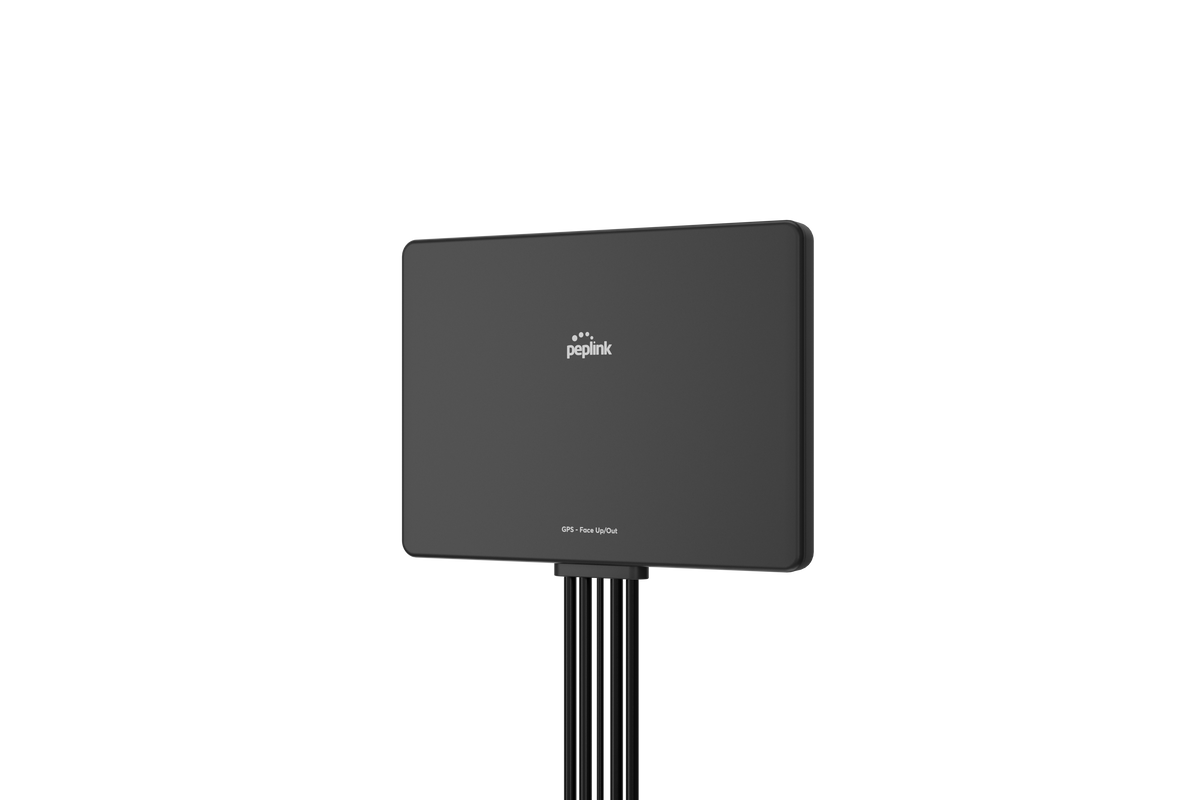

The Peplink Slim 22G is a compact, all-in-one antenna designed to deliver reliable 5G and LTE performance, plus Wi-Fi and GPS, in a clean, low-profile housing.
This antenna is for modems with only two cellular antennas. If you need four (which most modern 5G routers do) checkout the 44G on our site.What's inside:
- 2x2 MIMO for 5G and LTE cellular
- 2x Wi-Fi antennas
- 1x GPS for location tracking
Great for:
- Vehicles, vans, and RVs that need a tidy rooftop antenna solution
- Home Window Mounts that are easy to install.
- Mobile deployments where aesthetics and performance both matter


Optional
Peplink licenses
Virtual WAN, SpeedFusion, and other Peplink subscription features. Tap to see what fits this router.
Optional
Peplink licenses
-

This license lets a Peplink router use an OpenVPN connection as one of its WANs. With it active, the router can send traffic out through a VPN provider such as NordVPN or Private Internet Access, and you choose which devices or traffic use the tunnel with outbound policy rules.
You don't need it to connect into your Peplink with an OpenVPN client, which works without a license. This license covers the other direction, where the router is the VPN client and the tunnel acts as an internet connection.
People use it to:
- send only certain devices, like a work laptop or a streaming box, through a VPN while everything else uses the normal connection
- cover every device on the network without installing VPN software on each one
To set it up, load the .ovpn file from your VPN provider into the router.
When you order, include the router's serial number so we can apply the license to the right device. Call 888-381-7750 if you're not sure which license you need.
+$20.00 -

A Virtual WAN license turns a LAN port or VLAN on your Peplink router into an extra WAN connection. You can then load-balance, fail over or bond with SpeedFusion across more internet connections without buying new hardware. It's a one-time purchase that stays on the router permanently.
This license adds one Virtual WAN for $200. An active PrimeCare subscription already includes one, and on firmware 8.5.2 or later licenses stack on top of it. If you need more, buy them as a pack:
- Two Virtual WANs ($400)
- Three Virtual WANs ($600)
- Ten Virtual WANs ($2,336), for the Balance 310X, 380X, 580X, 710, 2500 EC and 5000 EC, MAX MBX, MBX Mini, SDX and SDX Pro only
The usual reason to buy one is running out of physical WAN ports. If you want to add another wired ISP through a VLAN-tagged switch port, each extra connection needs a Virtual WAN.
Cellular connections don't need one. A SIM in your router's built-in cellular modem is its own WAN, so you can add 5G on our unlimited plan without buying a Virtual WAN license.
Compatible routers
Balance series: B One, B One 5G, B One Plus, Balance 20X, 30 LTE, 30 Pro, One, Two, 210 (HW4+), 305, 310 (HW4+), 310 5G, 310 Fiber 5G, 310X, 380, 380X, 580, 580X, 710, 1350, 1350 EC, 2500 and 2500 EC.
MAX series: BR1 Mini (HW3), BR1 Mini Core (HW3), BR1 Mini M2M, BR1 Mini 5G, BR1 ENT, BR1 Pro LTEA CAT-20 (HW7), BR1 Pro 5G, BR2, BR2 Micro, BR2 Pro (HW4), Transit Duo, Transit Pro, Transit Duo Pro, Transit Pro E, 700 (HW3+), HD1 Dome, HD1 Dome Pro, HD2 Dome, Dome Pro Duo, Dome Pro LR, HD2 (HW5+), HD2 Mini, HD4, HD2 MBX, HD4 MBX and MBX Mini.
Also: UBR Plus, HD2 MediaFast, HD4 MediaFast, MFA 200, 500 and 700, the X series (SDX, SDX Pro, PDX and EPX), Surf SOHO MK3 and SpeedFusion Engine Cam. Transit Mini and UBR LTE are not supported.
After you order, one of our network engineers checks your router's serial number by hand to confirm the model and hardware revision are compatible. We'll email you once compatibility is confirmed and the license is issued.
Peplink licenses can't be returned. If you're not sure about your model, call us at 888-381-7750 before you order.
+$200.00 -
Activate 2x Virtual WANs permanently on your Peplink router with this one-time license. Convert LAN ports or VLANs into fully functional WAN connections — adding flexibility for load balancing, failover, and SpeedFusion bonding without installing new hardware.
All active PrimeCare subscriptions already include 1x Virtual WAN for free. Stack this license on top to expand your VWAN capacity.
Compatible Models
Balance Series
- B One
- B One 5G
- B One Plus
- Balance 20X
- Balance 30 LTE
- Balance 30 Pro
- Balance One
- Balance Two
- Balance 210 (HW4 or above)
- Balance 310 (HW4 or above)
- Balance 310 5G
- Balance 310 Fiber 5G
- Balance 310X
- Balance 305
- Balance 380
- Balance 580
- Balance 710
- Balance 1350
- Balance 2500
- Balance 2500 EC
MAX Series
- MAX BR1 Mini (HW3)
- MAX BR1 ENT
- MAX BR1 Pro LTEA CAT-20 (HW7)
- MAX BR1 Pro 5G
- MAX BR2 Pro (HW4)
- MAX Transit (except Transit Mini)
- MAX 700 (HW3 or above)
- MAX HD1 Dome
- MAX HD1 Dome Pro
- MAX HD2 Dome
- MAX HD2 (HW5 or above)
- MAX HD2 Mini
- MAX HD4
Other Compatible Devices
- UBR Plus
- MediaFast Series
- X Series
-
Activate 3x Virtual WANs permanently on your Peplink router with this one-time license. Convert LAN ports or VLANs into fully functional WAN connections — adding flexibility for load balancing, failover, and SpeedFusion bonding without installing new hardware.
All active PrimeCare subscriptions already include 1x Virtual WAN for free. Stack this license on top to expand your VWAN capacity.
Compatible Models
Balance Series
- B One
- B One 5G
- B One Plus
- Balance 20X
- Balance 30 LTE
- Balance 30 Pro
- Balance One
- Balance Two
- Balance 210 (HW4 or above)
- Balance 310 (HW4 or above)
- Balance 310 5G
- Balance 310 Fiber 5G
- Balance 310X
- Balance 305
- Balance 380
- Balance 580
- Balance 710
- Balance 1350
- Balance 2500
- Balance 2500 EC
MAX Series
- MAX BR1 Mini (HW3)
- MAX BR1 ENT
- MAX BR1 Pro LTEA CAT-20 (HW7)
- MAX BR1 Pro 5G
- MAX BR2 Pro (HW4)
- MAX Transit (except Transit Mini)
- MAX 700 (HW3 or above)
- MAX HD1 Dome
- MAX HD1 Dome Pro
- MAX HD2 Dome
- MAX HD2 (HW5 or above)
- MAX HD2 Mini
- MAX HD4
Other Compatible Devices
- UBR Plus
- MediaFast Series
- X Series
-
Activate 10x Virtual WANs permanently on your Peplink router with this one-time license. Convert LAN ports or VLANs into fully functional WAN connections — adding flexibility for load balancing, failover, and SpeedFusion bonding without installing new hardware.
Designed for high-capacity enterprise and mobile deployments that demand multiple WAN uplinks from a single device.
Compatible Models
- Balance 310X
- Balance 380X
- Balance 580X
- Balance 710
- Balance 2500 EC
- MBX
- MBX Mini
- SDX
- SDX Pro


Discount applied automatically at checkout.
SpeedFusion bonding speeds
The Peplink Balance 310 Fiber 5G combines a built-in 5G modem with fiber and ethernet WAN options, giving your business maximum flexibility and reliability in a single device.
Great for:
- Small business primary router with fiber speed and 5G failover built in
- Fiber-served sites that need cellular backup without extra hardware
- Mission-critical operations that can't afford downtime
Features a built-in 5G modem with dual SIM slots, SFP fiber WAN, gigabit ethernet WAN, USB WAN, and 1Gbps router throughput. Easy to deploy, built to last, and backed by Peplink's trusted reliability.
Official Peplink data sheet — full specs, ports, throughput, and regulatory info.
Open data sheet (PDF · 1.8 MB)Free standard shipping on hardware orders over $250. Same-day shipping if ordered by 2pm EST.
Returns: 14 days from delivery. Items must be in new, unused condition with all original packaging, accessories, and documentation intact. A 10% restocking fee applies to all returns (waived for items that arrive defective or dead on arrival). Original shipping charges are non-refundable; return shipping is the customer's responsibility. Peplink subscription licenses (PrimeCare, Virtual WAN, SpeedFusion) are non-refundable. Email CustomerService@CrosstalkMobile.com with your order number to start a return.
